



SIX ProjectFlow®

Projects, resources and profitability—connected.

SIX ProjectFlow connects project planning, tasks, teams, working time, budgets, costs, documents and milestones in one organized system. Give project managers, employees and leadership reliable information, clearer responsibilities and the visibility they need to control delivery, protect profitability and keep every project moving forward.

Understand and prepare for the practical caveats of EPR implementation and prepare for compliance around EPR, PPWR and DPP. Achieve real-world compliance before it is too late — January 15, 2027.

Every project. One connected path to delivery.

Your teams should not have to manage plans, tasks, resources, working time, budgets, costs, documents and milestones across separate systems. SIX ProjectFlow connects every stage in one organized project record, giving project managers, employees and leadership a current view of responsibilities, progress, deadlines and profitability.

Project Flow - Every Task Connected

Deliver every project with clarity and control

From initial planning to final completion, every team works with the same current information. Define tasks, assign responsibilities, schedule milestones, record working time and keep project documents, budgets and costs connected in one structured process.

SIX ProjectFlow helps managers monitor progress, identify delays, balance team workloads and compare planned effort with actual results. This creates clearer accountability, more reliable delivery and better control over project costs and profitability.

One reliable project and execution record

Keep project requirements, tasks, milestones, documents, working time, budgets and costs together. Give authorized employees and managers a complete and traceable view of every project from initial planning to final completion.

Clear responsibilities and coordinated work

Assign tasks, owners, priorities and deadlines in one structured plan. Give every team member a clear view of what must be completed, who is responsible and which activities require attention.

Time, budgets and costs under control

Connect planned effort with timesheets, expenses and actual project costs. Monitor how resources are being used, identify budget deviations early and understand the financial position of each project.

Progress and profitability made visible

Compare planned milestones with actual delivery and detect delays before they affect the final result. Give management reliable information to improve decisions, protect profitability and keep projects moving forward.

How it works

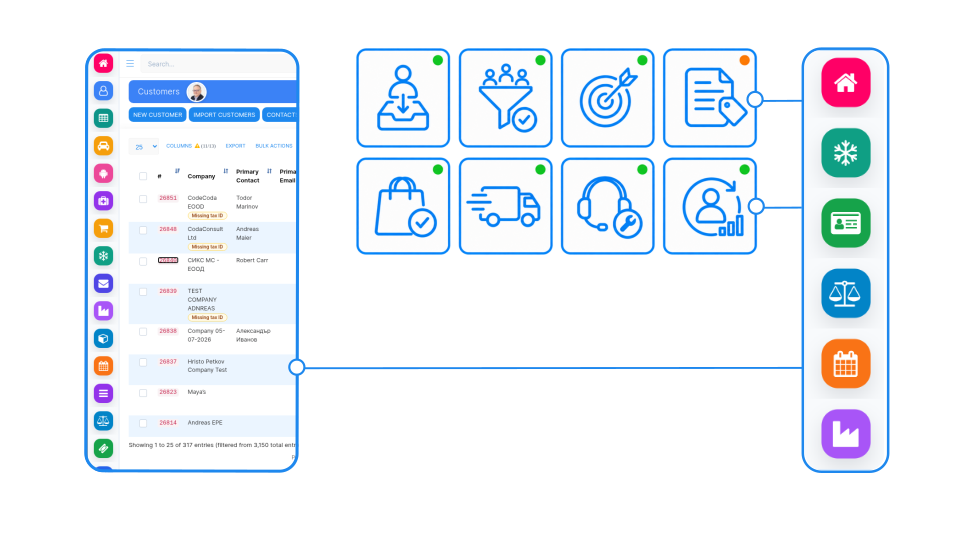
SIX ProjectFlow connects the complete project lifecycle, from the first requirement and scope definition to planning, execution, delivery, billing, and final financial review. Create phases, milestones, tasks, subtasks, dependencies, priorities, deadlines, budgets, and responsibilities in one structured project record. Tasks can also be created for almost any data entity in SIX ERP, including customers, opportunities, sales orders, purchase orders, items, manufacturing orders, service requests, employees, invoices, expenses, documents, and assets. Employees record progress, working time, documents, comments, expenses, and completed work directly against the relevant task or business record. Because ProjectFlow can connect with every SIX Flow, customer requirements can begin in CustomerFlow, commercial agreements can continue from SalesFlow, employees and availability can come from PeopleFlow, materials from StockFlow, supplier requirements from PurchaseFlow, production activities from ManufacturingFlow, field work from ServiceFlow, and costs, invoicing, and profitability from FinanceFlow. Every activity remains connected to its project and operational source, giving teams clear responsibilities while managers receive a current view of progress, workload, deadlines, planned and actual costs, billable work, and project profitability.

From project idea to profitable delivery

Connect every stage of the project lifecycle, from scope definition and planning to task execution, time recording, cost control and final completion. SIX ProjectFlow keeps project managers, employees, finance teams and leadership working from the same reliable project information.

Manage the complete project lifecycle with SIX ProjectFlow

SIX ProjectFlow keeps every project stage connected. Define scope, milestones and budgets, assign tasks and resources, record working time and expenses, manage documents and monitor delivery. Compare planned values with actual results to identify delays, control costs and protect profitability without losing context or entering the same information repeatedly.

One project lifecycle. Three connected stages.

From the first project requirement to final delivery and financial review, SIX ProjectFlow keeps plans, tasks, people, working time, documents, budgets and costs connected. Explore the three stages that help your organization structure work, coordinate execution and deliver profitable projects with confidence.

Define Scope and Deliverables

Record the project purpose, customer or internal requirements, expected results and completion criteria. Give managers and teams a shared understanding of what must be delivered before work begins.

Build the Schedule and Milestones

Divide the project into phases, tasks and measurable milestones. Set planned start and completion dates, define task dependencies and create a realistic path from project approval to final delivery.

Assign Teams and Responsibilities

Select the employees, departments or external partners required for the project. Assign clear task owners and responsibilities while considering employee availability, skills and expected workload.

Establish Budgets and Cost Targets

Define planned working hours, labor costs, materials, purchases, expenses and other project costs. Create a financial baseline that can later be compared with actual project results.

Turn Project Plans Into Action

Assign tasks, priorities and deadlines to the responsible employees. Give every team member a clear view of current work, upcoming activities and the actions required to keep the project moving.

Record Time and Progress

Capture working time, task completion and project progress as work happens. Connect timesheets with the correct project and activity so managers can compare planned effort with actual performance.

Keep Information and Documents Together

Store project documents, specifications, agreements, notes and related records in one organized project workspace. Help authorized employees find current information without searching through separate systems or email chains.

Coordinate Changes and Dependencies

Record revised deadlines, changed requirements, blocked tasks and new responsibilities. Show how one delay or decision affects later activities so managers can respond before the complete schedule is disrupted.

Monitor Performance and Variance

Compare planned milestones, hours and costs with actual results. Identify late tasks, excessive effort and budget deviations early enough for managers to take corrective action.

Control Costs and Profitability

Bring together labor, purchasing, expenses and other project-related costs. Give management a reliable view of the project’s financial position and whether expected profitability is being protected.

Connect Delivery With Billing

Confirm completed milestones, approved time and delivered work before financial processing begins. Connect verified project results with invoicing and finance to support accurate billing and reduce manual data entry.

Close With a Complete Project History

Confirm final delivery, complete outstanding tasks and preserve documents, decisions, time records and financial results. Maintain a traceable project history for reporting, customer service, audits and future planning.

See other SIX ERP Resources

Lean production software connects materials, purchasing, production planning, and shop-floor operations to reduce waste and prevent costly delays. Discover how SIX ManufacturingFlow uses real-time data, BOM management, Engineering Change Orders, and production tracking to improve efficiency and support continuous improvement.

Read More >
Business owner comparing records before choosing software

ERP vs accounting software for Bulgarian SMEs: key differences, a feature and cost table, SAF-T and e-invoicing checks, and how to migrate without losing data.

Read More >
ERP Adoption in Bulgaria.

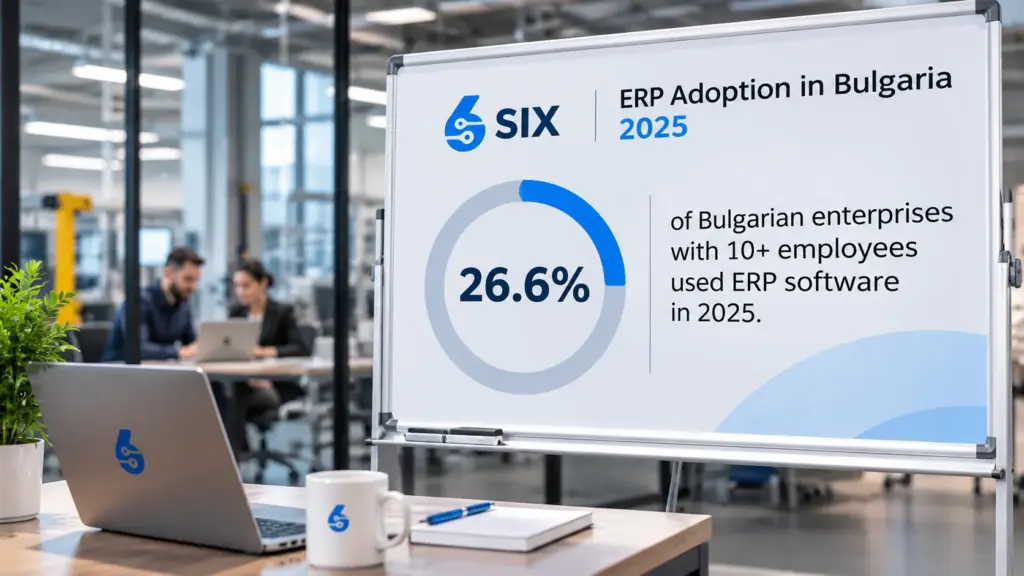
Bulgaria’s ERP adoption reached just 26.6% in 2025, far below the EU average. Discover why this digital gap matters and how connected business processes, automation, and SIX ERP can help companies become more competitive in 2027.

Read More >

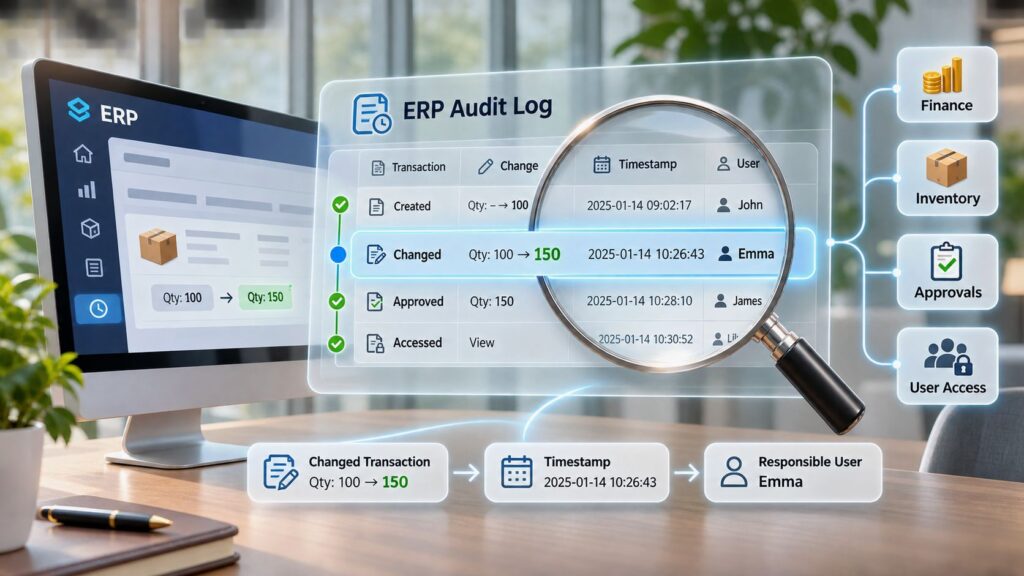
What is an audit log? Learn which ERP events to record, how to investigate them and how to set retention under GDPR for security and compliance.

Read More >

Resources

From Project Idea, Planning and Execution to Profitable Delivery

Learn how structured project management connects scope, schedules, tasks, resources, working time, costs and financial results. Discover how SIX ProjectFlow gives teams the visibility and control required to deliver projects on time, within budget and with protected profitability.

Frequently Asked Questions

Solutions ProjectFlow Frequently Asked Questions

  • SIX ProjectFlow is the project management part of SIX ERP. It connects project planning, tasks, teams, working time, budgets, costs, documents and milestones in one organized system. Project managers, employees and leadership work from the same current information on responsibilities, progress, deadlines and profitability.

  • Yes. Tasks can be created for almost any data entity in SIX ERP. A task can be connected to a customer, lead, opportunity, quotation, sales order, purchase order, item, manufacturing order, service request, employee, invoice, document, expense, asset, or project.

    This means employees can see both the task and the business information that caused it.

  • No. A task can be part of a full project, but it can also be connected directly to another SIX record. For example, a salesperson can create a follow-up task for an opportunity, or a warehouse manager can create a task for an inventory discrepancy.

  • ProjectFlow can connect tasks, working time, documents, costs, and responsibilities with any SIX Flow. A project may begin with a customer opportunity in CustomerFlow, require products from StockFlow, create purchases in PurchaseFlow, involve production in ManufacturingFlow, use employees from PeopleFlow, and continue into invoicing through FinanceFlow.

  • Yes. Customer projects can include billable work, materials, purchases, milestones, and invoices. Internal projects can cover process improvements, compliance work, product development, IT changes, office moves, or other company initiatives.

  • Yes. Teams can begin with simple tasks, owners, priorities, and deadlines. More detailed projects can include phases, milestones, dependencies, budgets, timesheets, documents, costs, and billing.

  • A task can include a title, description, responsible employee, priority, start date, deadline, status, estimated effort, recorded time, related documents, comments, dependencies, and a connection to the relevant SIX ERP record.

  • Yes. Larger activities can be divided into smaller subtasks. This makes responsibilities clearer and helps teams track progress without treating a complex activity as one large task.

  • Yes. Dependencies can show which task must be completed before another task can begin. This helps project managers understand how a delay may affect later work and the final delivery date.

  • Yes. Kanban boards give teams a clear visual view of tasks by status, phase, employee, or another configured category. Employees can quickly see which tasks are planned, in progress, waiting, blocked, or completed.

  • Yes. Employees can record working time against the correct project, task, customer activity, service request, or other connected record. This provides better timesheets and more accurate labor-cost information.

  • Yes. Recorded time can be classified according to the company’s rules. This helps managers understand which hours can be invoiced and which hours are internal, administrative, or included in a fixed project price.

  • Yes. Approved working time, completed milestones, delivered services, materials, and expenses can support invoicing. The invoice remains connected to the project and the work that produced it.

  • Yes. Managers can review assigned work, deadlines, planned hours, recorded time, and availability. When ProjectFlow connects with PeopleFlow, employee schedules, attendance, leave, skills, and other workforce information can also support planning.

  • es. Specifications, agreements, drawings, meeting notes, approvals, reports, and other documents can remain connected to the project or task. Authorized employees can find the current information without searching through separate email chains.


  • Yes. Changed requirements, revised deadlines, additional costs, new tasks, and updated responsibilities can be recorded within the project. This preserves the original context and shows how the change affected delivery and profitability.


  • Yes. A risk is something that may happen, while an issue has already happened. Teams can record the risk or issue, its possible impact, the responsible owner, required actions, deadlines, and current status.

  • External participants can be included according to the access model configured for the project. They may receive selected tasks, documents, requests, or progress information without receiving access to unrelated company data.

  • Yes. Approvals can be added for project plans, budgets, documents, changes, completed work, timesheets, expenses, and billing milestones. The approval history shows who reviewed the information and when.

  • Yes. If a project requires materials or external services, the requirement can continue into PurchaseFlow. The purchase, supplier delivery, invoice, and cost can remain linked to the projec

  • Yes. When connected with StockFlow, required items can be checked, reserved, issued, returned, or transferred for project use. This gives the project manager a clearer view of material availability and actual consumption.

  • Yes. A project can include design, planning, purchasing, manufacturing, quality checks, delivery, and installation. Manufacturing orders and related costs can remain connected to the customer project.

  • Common project structures can be reused through configured phases, milestones, task groups, responsibilities, and workflows. This helps companies follow the same reliable process for similar projects.

  • Yes. The project record can preserve tasks, status changes, documents, comments, time records, purchases, materials, costs, approvals, invoices, and final results. This history supports customer service, management reviews, audits, and future planning.


  • Yes. Small teams can start with simple task and project management. They can later add budgets, time tracking, purchasing, inventory, invoicing, or other SIX Flows without moving the project information into another system.

  • ProjectFlow can support construction, engineering, software, consulting, manufacturing, installation, field service, product development, marketing, compliance, and internal transformation projects. Its value comes from adapting the project structure to the organization’s real work.

  • A separate project tool usually manages plans and tasks but may not contain current operational or financial information. SIX ProjectFlow connects project work with customers, employees, purchases, materials, production, service, expenses, invoices, and finance. This gives managers a more complete view of delivery and profitability.

  • ProjectFlow covers the whole project lifecycle in three connected stages: Plan and Structure, Execute and Collaborate, and Control and Complete. This runs from scope definition and planning through task execution, time recording and cost control to final completion.

  • You can record the project purpose, requirements, expected results and completion criteria. You can divide the project into phases, tasks and measurable milestones, set planned start and completion dates, and define task dependencies. You can also select the employees, departments or external partners involved, and set planned working hours, labor costs, materials, purchases and expenses as a financial baseline.

  • You assign tasks, owners, priorities and deadlines in one structured plan. When assigning responsibilities, you can consider employee availability, skills and expected workload. Every team member sees what must be completed, who is responsible and which activities need attention.

  • Working time, task completion and progress are captured as work happens. Timesheets are connected to the correct project and activity, so managers can compare planned effort with actual performance.

  • Project documents, specifications, agreements, notes and related records are stored in one organized project workspace. Authorized employees find current information there without searching separate systems or email chains.

  • You can record revised deadlines, changed requirements, blocked tasks and new responsibilities. ProjectFlow shows how one delay or decision affects later activities, so managers can respond before the whole schedule is disrupted.

  • ProjectFlow compares planned milestones, hours and costs with actual results. It helps you identify late tasks, excessive effort and budget deviations early enough for corrective action. Labor, purchasing, expenses and other project-related costs are brought together to show each project’s financial position.

  • Yes. ProjectFlow lets you confirm completed milestones, approved time and delivered work before financial processing begins. Verified project results connect with invoicing and finance to support accurate billing and reduce manual data entry.

  • You confirm final delivery, complete outstanding tasks and preserve documents, decisions, time records and financial results. This leaves a traceable project history for reporting, customer service, audits and future planning.

  • Project managers, employees, finance teams and leadership all work from the same project information. Authorized employees and managers get a complete and traceable view of each project from initial planning to completion.

  • with a SIX specialist and describe your project process, so they can show how ProjectFlow fits it.

  • Yes. SIX ProjectFlow can be configured around customer projects, internal initiatives, installations, engineering work, software implementations and other project types. Each project can use its own phases, tasks, milestones, responsibilities, documents, budgets and completion requirements.

  • Project managers can monitor task statuses, milestones, deadlines, recorded working time, expenses and actual costs from one connected project record. Planned values can be compared with current results to identify delays, excessive effort and budget deviations early.

  • Yes. ProjectFlow can connect with CustomerFlow, PeopleFlow, PurchaseFlow, StockFlow, ManufacturingFlow, ServiceFlow, Expenses, Documents, Invoicing and Financial Management. This allows customer requirements, employee time, purchases, materials, costs, delivery and billing to remain connected throughout the project lifecycle.

  • Yes. SIX ProjectFlow brings together planned budgets and actual costs such as labor, purchases, materials and employee expenses. When connected with invoicing and finance, management can compare project revenue with total cost and understand profitability before and after completion.