



SIX ProjectFlow®

Projects, resources and profitability—connected.

SIX ProjectFlow connects project planning, tasks, teams, working time, budgets, costs, documents and milestones in one organized system. Give project managers, employees and leadership reliable information, clearer responsibilities and the visibility they need to control delivery, protect profitability and keep every project moving forward.

Understand and prepare for the practical caveats of EPR implementation and prepare for compliance around EPR, PPWR and DPP. Achieve real-world compliance before it is too late — January 15, 2027.

Every project. One connected path to delivery.

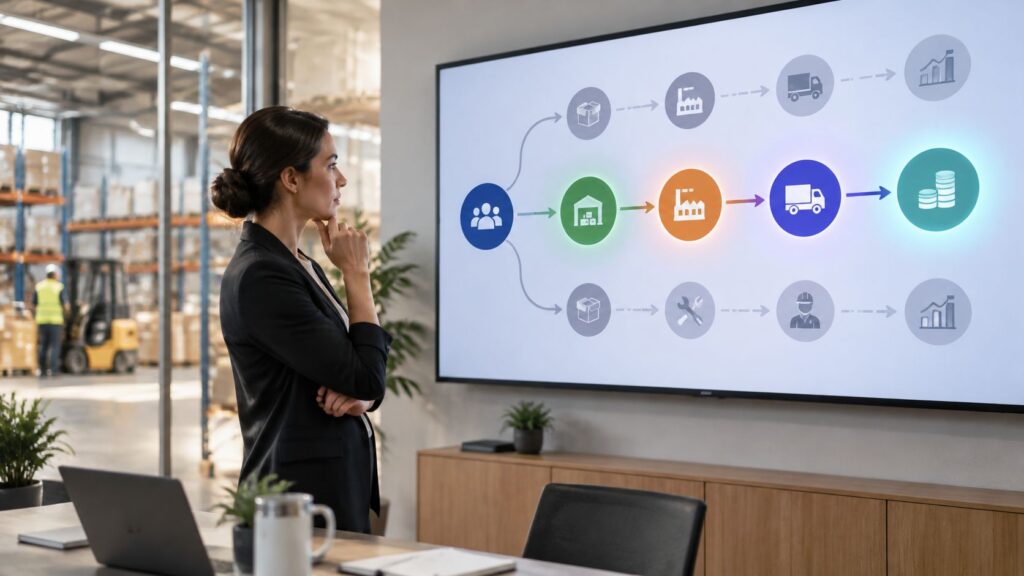
Your teams should not have to manage plans, tasks, resources, working time, budgets, costs, documents and milestones across separate systems. SIX ProjectFlow connects every stage in one organized project record, giving project managers, employees and leadership a current view of responsibilities, progress, deadlines and profitability.

Deliver every project with clarity and control

From initial planning to final completion, every team works with the same current information. Define tasks, assign responsibilities, schedule milestones, record working time and keep project documents, budgets and costs connected in one structured process.

SIX ProjectFlow helps managers monitor progress, identify delays, balance team workloads and compare planned effort with actual results. This creates clearer accountability, more reliable delivery and better control over project costs and profitability.

One reliable project and execution record

Keep project requirements, tasks, milestones, documents, working time, budgets and costs together. Give authorized employees and managers a complete and traceable view of every project from initial planning to final completion.

Clear responsibilities and coordinated work

Assign tasks, owners, priorities and deadlines in one structured plan. Give every team member a clear view of what must be completed, who is responsible and which activities require attention.

Time, budgets and costs under control

Connect planned effort with timesheets, expenses and actual project costs. Monitor how resources are being used, identify budget deviations early and understand the financial position of each project.

Progress and profitability made visible

Compare planned milestones with actual delivery and detect delays before they affect the final result. Give management reliable information to improve decisions, protect profitability and keep projects moving forward.

From project idea to profitable delivery

Connect every stage of the project lifecycle, from scope definition and planning to task execution, time recording, cost control and final completion. SIX ProjectFlow keeps project managers, employees, finance teams and leadership working from the same reliable project information.

Manage the complete project lifecycle with SIX ProjectFlow

SIX ProjectFlow keeps every project stage connected. Define scope, milestones and budgets, assign tasks and resources, record working time and expenses, manage documents and monitor delivery. Compare planned values with actual results to identify delays, control costs and protect profitability without losing context or entering the same information repeatedly.

One project lifecycle. Three connected stages.

From the first project requirement to final delivery and financial review, SIX ProjectFlow keeps plans, tasks, people, working time, documents, budgets and costs connected. Explore the three stages that help your organization structure work, coordinate execution and deliver profitable projects with confidence.

Define Scope and Deliverables

Record the project purpose, customer or internal requirements, expected results and completion criteria. Give managers and teams a shared understanding of what must be delivered before work begins.

Build the Schedule and Milestones

Divide the project into phases, tasks and measurable milestones. Set planned start and completion dates, define task dependencies and create a realistic path from project approval to final delivery.

Assign Teams and Responsibilities

Select the employees, departments or external partners required for the project. Assign clear task owners and responsibilities while considering employee availability, skills and expected workload.

Establish Budgets and Cost Targets

Define planned working hours, labor costs, materials, purchases, expenses and other project costs. Create a financial baseline that can later be compared with actual project results.

Turn Project Plans Into Action

Assign tasks, priorities and deadlines to the responsible employees. Give every team member a clear view of current work, upcoming activities and the actions required to keep the project moving.

Record Time and Progress

Capture working time, task completion and project progress as work happens. Connect timesheets with the correct project and activity so managers can compare planned effort with actual performance.

Keep Information and Documents Together

Store project documents, specifications, agreements, notes and related records in one organized project workspace. Help authorized employees find current information without searching through separate systems or email chains.

Coordinate Changes and Dependencies

Record revised deadlines, changed requirements, blocked tasks and new responsibilities. Show how one delay or decision affects later activities so managers can respond before the complete schedule is disrupted.

Monitor Performance and Variance

Compare planned milestones, hours and costs with actual results. Identify late tasks, excessive effort and budget deviations early enough for managers to take corrective action.

Control Costs and Profitability

Bring together labor, purchasing, expenses and other project-related costs. Give management a reliable view of the project’s financial position and whether expected profitability is being protected.

Connect Delivery With Billing

Confirm completed milestones, approved time and delivered work before financial processing begins. Connect verified project results with invoicing and finance to support accurate billing and reduce manual data entry.

Close With a Complete Project History

Confirm final delivery, complete outstanding tasks and preserve documents, decisions, time records and financial results. Maintain a traceable project history for reporting, customer service, audits and future planning.

See other SIX ERP Resources

Choosing the best ERP for distributors means looking beyond accounting. Compare the capabilities that connect sales, purchasing, inventory, warehouse operations, order fulfilment, and finance—and learn how to assess the right fit for your distribution business.


Read More >

Learn how to classify departments as cost centers or profit centers based on the decisions their managers control. This guide explains how to track revenue, costs, internal charges, shared expenses, and ERP reporting without distorting performance.

Read More >

Learn how managed cloud ERP compares with SaaS and self-hosted systems. Explore costs, responsibilities, security, maintenance, and flexibility to decide whether a provider-managed ERP is right for your growing business.

Read More >

Explore 11 Odoo alternatives for connecting sales, finance, inventory, manufacturing, and service operations. Compare ERP platforms by workflow fit, integration, flexibility, implementation effort, and total cost to find the right solution for your business.

Read More >

Resources

From Project Idea, Planning and Execution to Profitable Delivery

Learn how structured project management connects scope, schedules, tasks, resources, working time, costs and financial results. Discover how SIX ProjectFlow gives teams the visibility and control required to deliver projects on time, within budget and with protected profitability.

Frequently Asked Questions

Solutions ProjectFlow Frequently Asked Questions

  • What is SIX ProjectFlow?

    SIX ProjectFlow is the project management part of SIX ERP. It connects project planning, tasks, teams, working time, budgets, costs, documents and milestones in one organized system. Project managers, employees and leadership work from the same current information on responsibilities, progress, deadlines and profitability.

  • Which stages of a project does ProjectFlow cover?

    ProjectFlow covers the whole project lifecycle in three connected stages: Plan and Structure, Execute and Collaborate, and Control and Complete. This runs from scope definition and planning through task execution, time recording and cost control to final completion.

  • What can I define when I plan a project?

    You can record the project purpose, requirements, expected results and completion criteria. You can divide the project into phases, tasks and measurable milestones, set planned start and completion dates, and define task dependencies. You can also select the employees, departments or external partners involved, and set planned working hours, labor costs, materials, purchases and expenses as a financial baseline.

  • How does ProjectFlow help assign work to the right people?

    You assign tasks, owners, priorities and deadlines in one structured plan. When assigning responsibilities, you can consider employee availability, skills and expected workload. Every team member sees what must be completed, who is responsible and which activities need attention.

  • How is working time recorded against projects?

    Working time, task completion and progress are captured as work happens. Timesheets are connected to the correct project and activity, so managers can compare planned effort with actual performance.

  • Where are project documents kept?

    Project documents, specifications, agreements, notes and related records are stored in one organized project workspace. Authorized employees find current information there without searching separate systems or email chains.

  • How does ProjectFlow handle changes and delays?

    You can record revised deadlines, changed requirements, blocked tasks and new responsibilities. ProjectFlow shows how one delay or decision affects later activities, so managers can respond before the whole schedule is disrupted.

  • How do I spot budget problems early?

    ProjectFlow compares planned milestones, hours and costs with actual results. It helps you identify late tasks, excessive effort and budget deviations early enough for corrective action. Labor, purchasing, expenses and other project-related costs are brought together to show each project’s financial position.

  • Can project results be connected to invoicing?

    Yes. ProjectFlow lets you confirm completed milestones, approved time and delivered work before financial processing begins. Verified project results connect with invoicing and finance to support accurate billing and reduce manual data entry.

  • What happens when a project is finished?

    You confirm final delivery, complete outstanding tasks and preserve documents, decisions, time records and financial results. This leaves a traceable project history for reporting, customer service, audits and future planning.

  • Who in the organization uses ProjectFlow?

    Project managers, employees, finance teams and leadership all work from the same project information. Authorized employees and managers get a complete and traceable view of each project from initial planning to completion.

  • How can I see ProjectFlow in action?

    with a SIX specialist and describe your project process, so they can show how ProjectFlow fits it.

  • Can SIX ProjectFlow support different types of projects?

    Yes. SIX ProjectFlow can be configured around customer projects, internal initiatives, installations, engineering work, software implementations and other project types. Each project can use its own phases, tasks, milestones, responsibilities, documents, budgets and completion requirements.

  • How does SIX ProjectFlow track project progress?

    Project managers can monitor task statuses, milestones, deadlines, recorded working time, expenses and actual costs from one connected project record. Planned values can be compared with current results to identify delays, excessive effort and budget deviations early.

  • Does SIX ProjectFlow connect with other SIX ERP solutions?

    Yes. ProjectFlow can connect with CustomerFlow, PeopleFlow, PurchaseFlow, StockFlow, ManufacturingFlow, ServiceFlow, Expenses, Documents, Invoicing and Financial Management. This allows customer requirements, employee time, purchases, materials, costs, delivery and billing to remain connected throughout the project lifecycle.

  • Can SIX ProjectFlow show project costs and profitability?

    Yes. SIX ProjectFlow brings together planned budgets and actual costs such as labor, purchases, materials and employee expenses. When connected with invoicing and finance, management can compare project revenue with total cost and understand profitability before and after completion.