
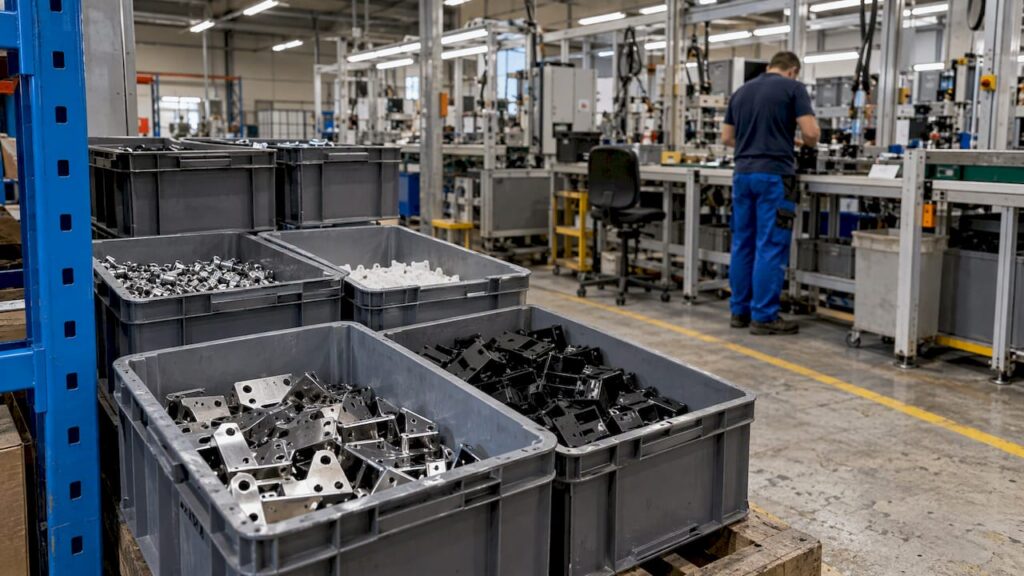
Manufacturing inventory management is the control of every item that moves through production: raw materials, purchased components, work in progress (WIP) and finished goods. It works when stock records are tied to purchasing, production orders and finance, so a number in the warehouse always matches what the plan and the ledger expect. The most dependable way to get there is an ERPAn ERP system connects a company’s core processes—such as sales, finance, inventory, manufacturing, and service—in one place so teams can work with shared information. that maps those processes first and then runs inventory inside them. That is how we build SIX StockFlow and SIX ManufacturingFlow.
This guide covers what the discipline includes, the process in six steps, the policies that balance availability against carrying cost, what to check in manufacturing inventory software, and how to start without replacing everything at once.
What manufacturing inventory management includes
A retailer mostly asks two questions: what is on the shelf, and what will sell. A manufacturer has a harder one: what do we need to buy, when, and for which production order?
That is why inventory in a factory cannot be managed as a standalone list. A study from the Technical University of Sofia on integrated information systems in industry treats inventory as one of several connected functions: materials planning, bills of materials (BOMs), purchasing, warehouse and production logistics, and sales. Its case example follows materials through requests, transfers, reservations and tracking of the materials invested in each order.
In practice, four stock categories need separate treatment:
- Raw materials and components. Bought, often with long or variable lead times, and consumed according to BOMs.
- Work in progress. Materials already issued to the shop floor but not yet finished. This is where most manufacturers lose visibility first.
- Finished goods. Completed items waiting for shipment, linked to sales orders.
- Consumables and spare parts. Low in value per unit, but a missing item can stop a line.
Each category has different counting rules, reorder logic and accounting treatment. A system that treats them all as “items in a warehouse” will answer the retail question and miss the production one.
Why spreadsheets and disconnected tools stop working
Spreadsheets work while one person knows every material and every order. They fail at a predictable point: when purchasing, production and accounting each keep their own version of the numbers.
The typical symptoms are easy to recognize:
- Purchasing orders material that is already in the warehouse under another code.
- Production starts an order and discovers a component is missing after the machine is set up.
- WIP is not recorded, so inventory appears to disappear between issue and completion.
- Finance values stock from a month-end count that no longer matches the warehouse.
None of these is a counting problem. They are connection problems: the stock movement is not tied to the document that caused it. The fix is to record every movement once, against a purchase order, a production order or a sales order, and let every department read the same figure.
The process in six steps
The usual five-step description of inventory management (receive, store, count, replenish, report) needs one more step for manufacturers: link stock to production. Here is the full routine, with where each step goes wrong.
1. Define items, units and BOMs
Every material, component and finished product needs one code, one unit of measure and, where relevant, a BOMA Bill of Materials (BOM) lists the materials and components, and their quantities, needed to make a product. that lists what goes into a unit. Errors here spread everywhere: duplicate codes split stock, and a BOM that ignores scrap makes every plan optimistic.
Before any system is configured, decide who may create an item, how variants are coded and how units convert (kilograms bought, meters consumed, pieces sold). This is the stage where we map your processes in detail in SIX, because a configurationConfiguration sets up software using its existing options. In an ERP system, it adapts workflows, roles and other settings to the company’s business processes. built on an unclear item structure only automates the confusion.
2. Receive and put away against a purchase order
Goods receipt should reference an open purchase order, record quantity and batch or lot, and assign a storage location. The failure point is receiving “on a delivery note” without matching it, which leaves purchasing and finance with different quantities. SIX PurchaseFlow keeps ordering and receiving in the same flow as stock, so a receipt updates what planners and buyers see.
3. Reserve and issue materials to production orders
When a production order is released, the BOM tells you what it needs. Reserving that material stops two orders from counting on the same stock. Issuing it moves quantity from the warehouse to WIP and records which order consumed it.
The reservation and transfer logic is exactly what the Technical University of Sofia study describes in its case: material requests, transfers, reservations and tracking against the order. Without it, shortages show up at the machine instead of in the plan.
4. Record output and scrap
When the order completes, finished goods enter stock and any scrap or leftover material is recorded. If scrap is not captured, the next cycle count shows a gap nobody can explain. Recording actual consumption also shows which BOMs understate real usage, so your next plan is better than the last.
5. Count continuously
An annual physical count is a snapshot that is out of date within days. Cycle counting means counting a small part of stock on a rolling schedule, with high-value or high-risk items counted most often. Differences should be investigated for cause (a missed receipt, a wrong unit, an unrecorded issue), not only adjusted. Adjustments without causes simply repeat.
6. Replenish from demand, not from habit
Reorder when the plan says you will need material, not when a shelf looks empty. The next section covers the policies that decide how much and when.
Inventory policies that balance availability and cost
Holding too little stops production. Holding too much ties up cash, takes space and risks obsolescence. Four tools handle most of the balance.
Material requirements planning (MRP)
MRP converts demand for finished products into dated requirements for components, using BOMs, current stock and lead times. It suits items whose demand depends on production orders, which describes most manufacturing inputs. It only works as well as the data feeding it: accurate stock, accurate BOMs, accurate lead times. If you want a closer look at how this works in an ERP, our material requirements planning archive collects the related articles.
Reorder point and safety stock
For items with steady use, such as consumables, fasteners or packaging, a reorder point is simpler than full planning. The standard formula is average daily usage multiplied by supplier lead time, plus safety stock.
A worked example: you use 40 units a day, the supplier delivers in 6 days, and you hold 100 units as a buffer. The reorder point is (40 × 6) + 100 = 340 units. When available stock reaches 340, you order. Safety stock should reflect how variable usage and lead time really are, so review it when a supplier’s delivery pattern changes.
ABC classification
ABCABC Inventory Analysis is a method of classifying inventory into A, B, and C categories based on consumption value. It helps businesses prioritize stock control, optimize purchasing, reduce inventory costs, and improve warehouse efficiency. classification helps manufacturers prioritize inventory based on annual consumption value. A-items typically represent a small percentage of inventory but account for the largest share of its value. They require tighter controls, frequent stock counts, and close supplier monitoring. B-items receive moderate attention, while C-items, often numerous but relatively inexpensive, can be managed through simpler replenishment rules and less frequent counting.
SIX StockFlow automates ABC classification by analyzing inventory consumption and value, assigning products to the appropriate A, B, C or D category, and reviewing these classifications automatically every day.
As material consumption, production demand, and inventory values change, SIX updates the classifications to reflect current business conditions. An item previously classified as C may move into category B or A when its consumption value increases, ensuring that purchasing and warehouse teams focus on the materials that matter most.
This continuous classification supports more effective inventory management through targeted cycle counting, better replenishment priorities, and improved stock control. Instead of maintaining ABC categories manually in spreadsheets, manufacturers benefit from an automatically updated inventory structure that helps reduce unnecessary stock, identify critical materials, and keep working capital under control.
Costing method
How you value stock affects margins and reported profit. Under IFRS, IAS 2 Inventories sets the rules for cost measurement, and for interchangeable items it allows FIFO or weighted average cost. In Bulgaria, entities report under IFRS or the national accounting standards, depending on the entity, so confirm the method with your accountant. Choose it once and apply it consistently; your system should then calculate the cost of each issue automatically rather than from a month-end spreadsheet.
What manufacturing inventory software should do
The right software replaces the manual links between steps, not just the stock list. When you assess manufacturing inventory software, check these capabilities against your own process:
| Capability | What it should do for you | The question to ask |
|---|---|---|
| Multi-location stock | Show quantity by warehouse, location and status | Can I see raw materials, WIP and finished goods separately? |
| BOM and production link | Reserve and issue materials per production order | Does an order show what it needs and what is missing? |
| Purchasing link | Turn shortages into purchase requests and orders | Does receiving update stock and the open order together? |
| TraceabilityTraceability follows a product or material through its history, from origin to use or delivery. An ERP system connects the records needed to investigate issues and track affected items. | Record batch or lot from supplier to customer | Can I trace a finished product back to its materials? |
| Finance link | Value stock and post movements to the ledger | Do inventory and accounts agree without reconciliation? |
| Reporting | Show levels, turnover and shortages in real time | Can planners and managers read the same dashboardA dashboard brings key figures and status information together on one screen. An ERP dashboard helps teams monitor performance and identify issues that need attention.? |
| Growth | Add modules without re-implementing | Can I start with stock and add production later? |
The Technical University of Sofia study makes the same point about ERP in general: modules for production planning, material requirements, purchasing, inventory, sales, logistics and finance exchange information through shared data and standard interfaces. The stock module is useful because of what it is connected to.
Why a standalone inventory tool is not enough for a factory
A tool that tracks stock but sits beside production planning and accounting recreates the original problem in a new place. Someone still keys production orders in twice, and finance still reconciles. For a manufacturer, the better question is not which inventory app has the most features, but which system holds inventory, purchasing, production and finance in one data model. Our article on how to connect production planning, purchasing and accounting in ERP walks through that connection.

How inventory connects to the rest of the business
Three connections decide whether inventory numbers can be trusted.
Inventory and production. Orders reserve and consume materials, and finished output returns to stock. This is what keeps WIP visible and what lets planners see a shortage before the order starts. How ERP helps manufacturers plan, produce and grow explains the planning side in more detail.
Inventory and purchasing. Shortages become purchase requests, receipts close the order, and supplier delivery performance becomes visible from real dates. Buyers stop guessing lead times because the system holds the actual ones.
Inventory and finance. Each receipt, issue and adjustment has a financial value. When finance sits in the same system, SIX FinanceFlow can read those movements directly, and month-end stock valuation stops being a separate project.
The broader view of ERP as integrated information flows across functions is also what the Technical University of Sofia study argues: shared information lets employees and managers make decisions and improve processes. For a Bulgarian manufacturer, that means one set of numbers for the warehouse, the buyer, the planner and the accountant.
Perspective from SIX
Most inventory problems we see described by manufacturers are process problems that appear as stock problems. The count is wrong because a movement was never recorded, and the movement was never recorded because nobody agreed who records it.

That is why we map the process before we configure anything. Our no-gap approach means we trace how material actually moves, from purchase to receipt to production to shipment, and we do not start implementation until the map has no unexplained steps. Inventory then runs inside a defined process instead of beside it.

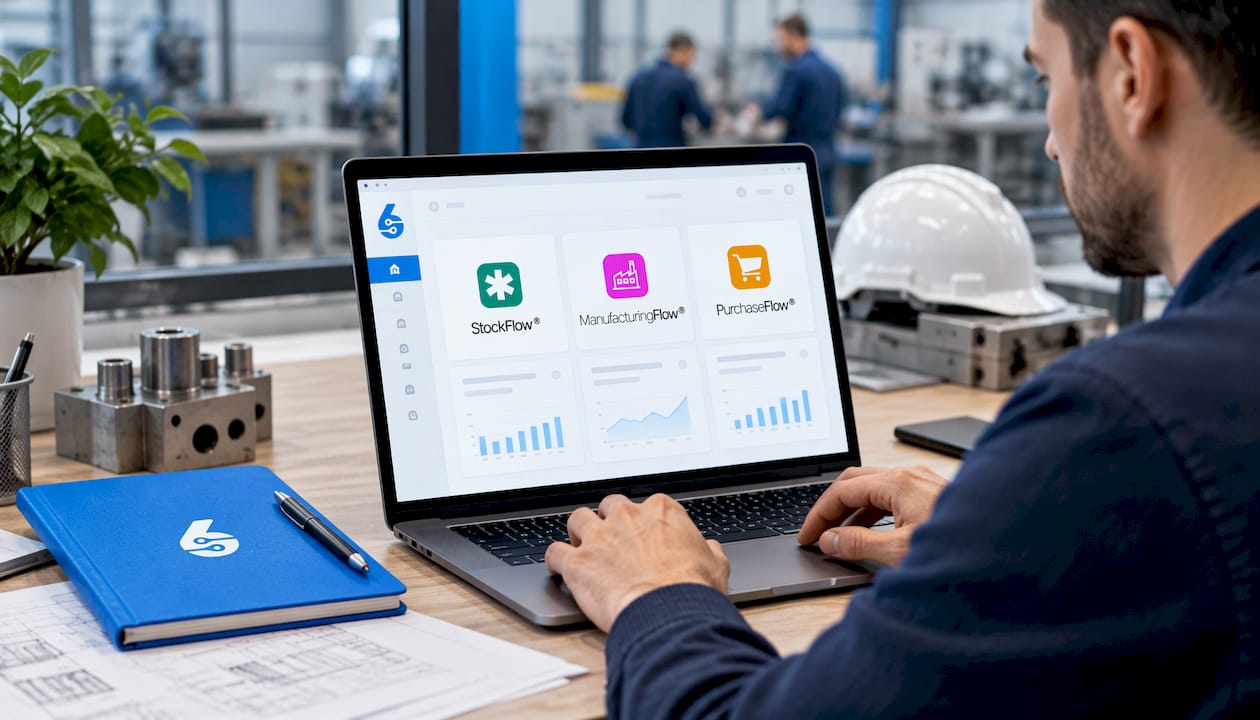
We also do not think a manufacturer should buy everything on day one. SIX is built from flows, such as StockFlow for warehouse and inventory, PurchaseFlow for purchasing and ManufacturingFlow for production. You can start with the flows that carry your biggest risk and add others as the business grows, without replacing the system.

Precise inventory control is not a feature of one screen. It is the result of purchasing, production, stock and finance sharing the same data.
Start with the flows you need
For a manufacturer, a sensible first scope is stock, purchasing and production. SIX StockFlow covers warehouse and inventory management, SIX PurchaseFlow covers purchasing, and SIX ManufacturingFlow covers manufacturing. They connect, and you can add finance, sales, projects or field service later.
SIX subscriptions are published on the licensing page: SIX Start is 999 EUR per year, SIX Growth is 2499 EUR per year and SIX Business is 4999 EUR per year. SIX Enterprise has no published price. Our services cover consulting and pre-integration support, integrationIntegration connects systems so they can exchange information or coordinate actions. An ERP integration helps link business tools and reduce manual transfers between them., configuration and customizationCustomization changes or adds software functionality beyond standard settings. In an ERP project, it can meet specific business needs while adding development and maintenance work., and support with continuous updates. For the manufacturing scope in detail, see ERP for manufacturing, which covers planning, work orders and traceability.
A practical rollout order
A staged rollout lowers risk and gives the team time to trust the data.
- Map the process. Document how material moves today, including the informal steps. Resolve duplicates and unclear ownership.
- Clean the master data. Merge duplicate items, fix units of measure and check BOMs against real consumption.
- Start with stock and purchasing. Get receipts, locations and counts reliable first.
- Add production orders. Reserve and issue materials, record scrap and track WIP.
- Connect finance. Value stock automatically and compare it with the count.
- Review and extend. Use the data to tune safety stock, ABC classes and lead times.
Our article on implementing ERP in manufacturing companies covers the implementation side, including cutover planning.