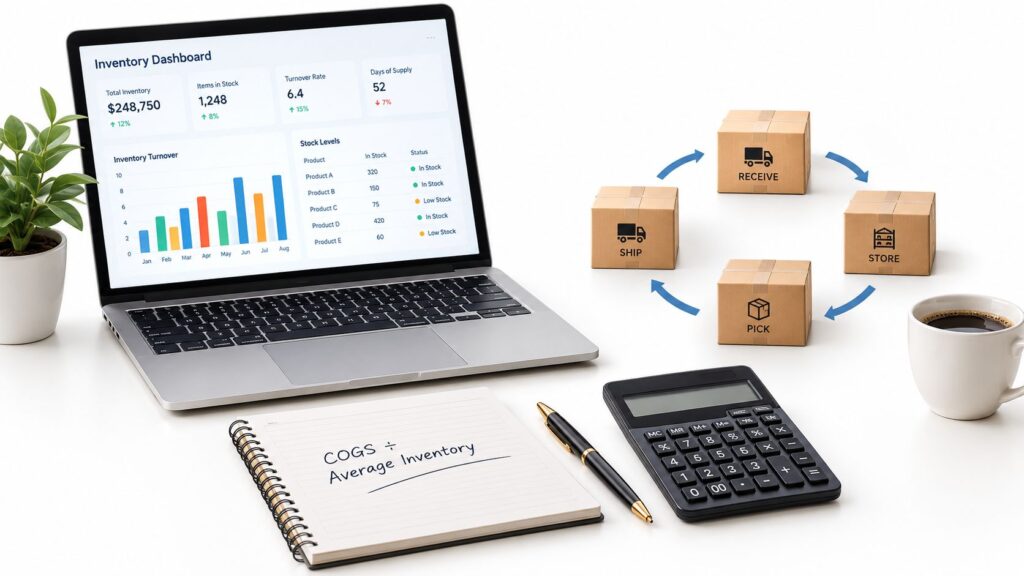
Inventory Turnover = COGSCOGS is the direct cost of the products a business sells, used to calculate gross profit and track product costs. ÷ Average Inventory. If your annual COGS is €12 million and your average inventory is €3 million, the ratio is 4.0 times, which means you sold or used inventory equal to four times your average stock during the year.
You might already have the numbers in front of you, but the harder part is knowing whether the result is actually useful. A company can show a healthy turnover ratio and still carry dead stock in one warehouse, or run too lean in another.
What the Inventory Turnover Ratio Measures
The inventory turnover ratio tells you how many times a business sold or used up its average inventory during a period. Finance teams use it to judge working capital efficiency, and operations teams use it to see whether stock is moving at a sensible pace.
The formula is simple. Inventory Turnover = COGS ÷ Average Inventory, and average inventory is usually (Beginning Inventory + Ending Inventory) ÷ 2. Using COGS instead of revenue keeps both sides of the equation on the same cost basis, since inventory is recorded at cost, not at selling price. Investopedia’s inventory turnover explanation states that distinction clearly.
At a Glance Formula Reference
| Variable | Definition | Source in ERPAn ERP system connects a company’s core processes—such as sales, finance, inventory, manufacturing, and service—in one place so teams can work with shared information. or Accounting Records |
|---|---|---|
| COGS | Cost of goods sold for the measurement period | Income statement, general ledger |
| Average Inventory | Typical stock level during the same period | Beginning and ending inventory balances, stock valuation records |
| Inventory Turnover | Times inventory was sold or consumed and replaced | Calculated from COGS and average inventory |
Practical rule: if the numerator and denominator do not use the same time window and valuation basis, the result can look precise while still being wrong.
For a small business owner, the number answers a practical question. Are you moving stock fast enough to avoid waste and cash tied up on the shelf, but not so fast that you are constantly short? That is why the ratio matters to purchasing, warehouse, production, and finance teams at the same time.
If your stock is split across sales channels or locations, the company-wide ratio can hide what is happening underneath. A consolidated number may look fine while one product family moves quickly and another barely moves at all.
Step-by-Step Calculation with a Worked Example
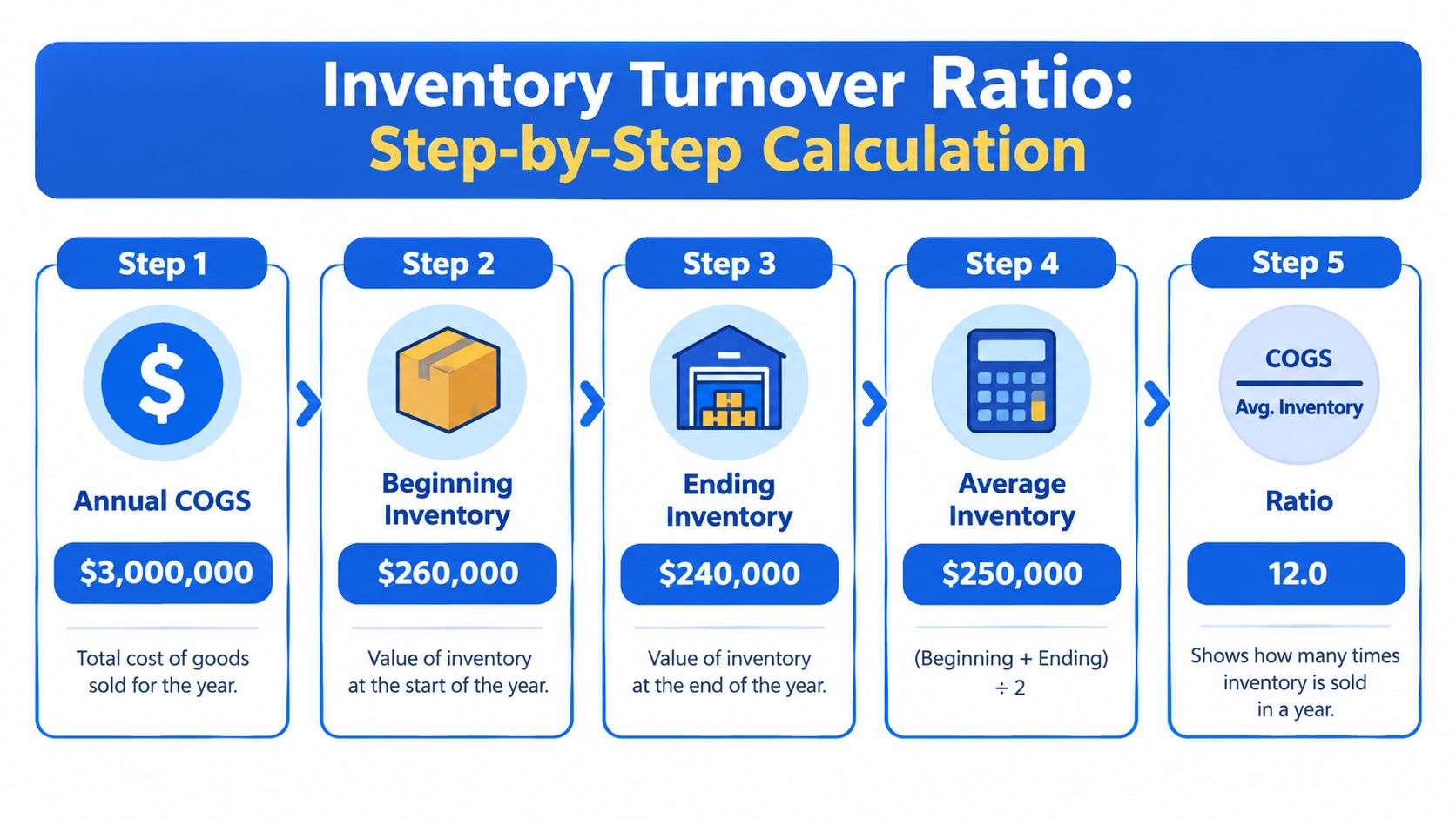
Start with the same time period for every input. If you are measuring a year, use annual COGS and annual inventory balances. Corporate Finance Institute’s inventory turnover guide gives a worked example that lands at approximately 9.84 times.
The calculation in plain steps
- Take annual COGS. In the example, COGS is €3 million.
- Add beginning inventory and ending inventory. Beginning inventory is €260,000 and ending inventory is €350,000.
- Divide by 2. That gives average inventory of €305,000.
- Divide COGS by average inventory. €3,000,000 ÷ €305,000 = 9.84.
- Read the result. The business sold and replaced its average inventory about 9.84 times during the year.
The arithmetic is easy once you can see the structure. The part people often miss is that the beginning and ending inventory figures come from balance sheets, while COGS comes from the income statement, so the metric pulls from both sides of the accounting system.
Simple interpretation: a turnover of 9.84 means the business cycled through its average stock almost ten times in the period.
If you are working quarterly and want an annual-style view, annualize the quarterly COGS first. That way, you keep the numerator and denominator aligned to the same reporting horizon.
For finance teams, SIX FinanceFlow connects invoicing, expenses, payments, budgets, accounting and financial reporting in one controlled process, so the numbers behind turnover are easier to reconcile and review. That matters when management wants to see cash flow, costs, revenue, and profitability together instead of in separate reports.
Choosing the Right Numerator and Denominator
The formula looks fixed, but the inputs are where many teams get tripped up. COGS is usually the right numerator because it matches the cost basis used for inventory. Revenue is tempting because it is easy to find, but it includes markup, so it does not line up with inventory valuation.
Why COGS usually wins
Using revenue would mix selling price with cost. That makes the ratio harder to compare across products, channels, and pricing strategies. COGS keeps the measure grounded in what the company spent on the stock it used or sold.
Average inventory is also more nuanced than it looks. The basic beginning-and-ending average is useful, but it can hide sharp swings inside the period, especially when demand is seasonal or the business is growing quickly. MYOB’s inventory turnover guide notes that seasonal fluctuations can distort the ratio and that the figure is only an overall average, not a SKU-level view.
What to use when the business is volatile
- Use monthly or weekly averages when demand jumps during the year.
- Compare by location, product family, lifecycle stage, and ABC class when different items behave differently.
- Avoid one company-wide average if slow movers could be hiding inside it.
A consolidated ratio can be useful, but it should not be the only lens. A warehouse may look efficient overall while a few SKUs sit untouched for months.
One practical way to think about this is to separate finance reporting from operating control. Finance may care about the company-wide ratio, while warehouse and purchasing teams need a view by product family or site. That is where an ERP stops being a record-keeping tool and starts becoming a decision tool.
If your purchasing process is spread across email, spreadsheets, and disconnected systems, the article on purchase management done right is a helpful companion read. It shows why clean buying data matters before any inventory KPIA KPI (Key Performance Indicator) measures progress towards a business goal. An ERP system can calculate KPIs from business records and show changes in performance over time. can be trusted.
Turning the Ratio into Days Inventory on Hand
A turnover ratio becomes easier to use once you convert it into time. Days inventory on hand shows how long stock sits before it moves, and the formula is 365 ÷ inventory turnover. Xero’s inventory turnover guide uses that same convention and shows that a 9.84 annual turnover implies about 37.1 inventory days.
A simple warehouse example makes the math clearer. If average inventory rises to €12.5 million while COGS stays at €50 million, turnover falls to 4.0 times and days inventory rises to 91.25. The business is moving through the same sales flow, but more cash is sitting in stock.
Time is easier to act on than a ratio. Procurement can see how long purchases sit on the shelf, production can see how much material is tied up, and storage teams can see where space is being consumed. If holding time rises, working capital stays locked up longer even if revenue does not change.
Higher turnover can mean stock is replenished efficiently and carrying exposure is lower. An excessively high number can also mean understocking, shortages, or lost sales. That is why days inventory on hand belongs in operations meetings, not just in finance reports.
A quick check helps separate a normal shift from a problem. Lower days usually means stock moves faster. Higher days usually means stock stays on hand longer. A sudden jump often points to excess buying, softer demand, or a process issue.
If the ratio changes while sales and production costs stay steady, inventory is usually the driver. That gives you a practical place to start the review inside an ERP, by warehouse, product family, or SKU.
Benchmark Ranges and How to Use Them
There is no single “good” inventory turnover ratio. The useful comparison is against similar businesses, the same accounting period, and a similar product mix. Allianz Trade’s inventory turnover guide cites broad ranges of 8 to 12 turns for retail, 4 to 8 for manufacturing, and 2 to 5 for automotive businesses, and also describes 5 to 10 as a commonly used healthy general range.
A retailer with fast-moving goods can support a higher turnover than a manufacturer with long production cycles. A seasonal business can also sit below a general benchmark without being badly run.
A high ratio is not automatically a win. It can show stock is moving well, or it can point to understocking and missed sales. The benchmark should start the review, not end it. If the number sits outside the expected range, check lead times, product mix, demand patterns, and replenishment rules before you decide the process is broken.
Comparison works best when the conditions match.
- Keep the same accounting period.
- Compare similar businesses, not unrelated industries.
- Check seasonality before drawing conclusions.
- Review product value and lead times, not only the headline ratio.
For retail teams that want to improve replenishment decisions, optimizing retail stock with SAP shows how turnover can sit inside a wider planning view, where availability, ordering, and stock flow are reviewed together.
Calculating and Reporting the Ratio in an ERP
A company-wide turnover ratio can change for a very ordinary reason. One warehouse may have overbought, one product family may have changed price, or one set of transfers and adjustments may have altered stock value. An ERP should show that split within minutes, not leave the team guessing from a single headline number.
Start with the source data. Pull COGS from the general ledger and inventory value from stock records, then confirm that both use the same period and valuation basis. If they do not match, the ratio can still look tidy while the underlying stock picture is wrong.
Finance usually owns the published ratio because accounting holds the COGS number. Operations needs the detail behind it, because warehouse movements, product families, and SKU behavior explain why the figure moved.
A drill-down view should point to the location and item level that caused the change. That means breaking the ratio by warehouse, product family, legal entity, and inventory status, so the KPI supports action instead of sitting as a dashboardA dashboard brings key figures and status information together on one screen. An ERP dashboard helps teams monitor performance and identify issues that need attention. decoration. Teams using understanding ERP integration basics can see why this only works when finance, purchasing, and inventory data connect cleanly.
For a practical warehouse view, warehouse and inventory process tracking helps tie receipts, stock movement, and valuation back to the same items and locations.
A useful dashboard keeps the layers separate:
- Company-wide turnover for management review.
- Warehouse-level turnover for operations.
- SKU or product-family turnover for buying decisions.
- Inventory status views for slow-moving or blocked stock.
Drill-through reports should also reconcile receipts, transfers, write-downs, and stock adjustments against the published ratio. That gives managers a number they can trust, and a path to the exact transactions behind it.
Pairing the Ratio with Stockout, Service Level, and Age
A warehouse can post a healthy turnover ratio and still frustrate customers. One product family may move well, while another sits too long and ties up cash. The ratio gives the pace. Companion metrics show whether that pace is helping the business or hiding a problem.
The metrics that add context
Days inventory outstanding, inventory age, stockout frequency, and service level turn one ratio into an operating view. If turnover improves while stockouts rise, the issue is probably not accounting. It is probably replenishment, assortment, or a warehouse process that is out of balance. For the warehouse-side view that connects these signals to day-to-day work, see warehouse management systems (WMS) explained.
A distributor can look efficient on paper with a 6.0 turnover, yet still carry 14% of SKUs older than 180 days. In that case, the blended ratio hides where the problem sits. Inventory-age reporting shows the old stock is concentrated in one product family, so the fix becomes targeted instead of broad.
Turnover shows speed. The other KPIs show quality.
That distinction matters because a fast-moving warehouse is not always a well-managed one. If the team is expediting orders, missing demand, or pushing stock out at the wrong time, the ratio alone will not tell you why the margin or customer experience is slipping.
Practical responses that follow from the full scorecard
- Raise safety stock or reorder points when stockouts climb.
- Slow purchasing when age rises and demand stays flat.
- Rework production plans when work-in-process keeps building.
- Clear obsolete stock when aged items stop moving.
- Tighten replenishment rules when service levels fall below target.
An ERP makes these actions easier to direct because the ratio can be drilled down by warehouse, product family, and SKU instead of staying trapped in a summary report. That is also why a system that ties inventory, purchasing, and project timing together matters. If you manage projects as well as stock, SIX ProjectFlow can help connect budgets, tasks, teams, working time, documents, and milestones in one place.
Common Calculation Errors and How to Avoid Them
The easiest way to get a misleading turnover ratio is to mix inputs that do not belong together. Annual COGS paired with quarterly inventory, for example, will distort the result because the numerator and denominator no longer describe the same window.
Common red flags
- Scope mismatch: annual COGS with quarterly average inventory.
- Currency mismatch: one entity reported in one currency and another in a different currency.
- Valuation mismatch: finance values do not line up with operational stock counts.
- Seasonality distortion: year-end stock is unusually high or low.
- Two-point average trap: the beginning-and-ending shortcut hides interim swings.
- Obsolete inventory included in the denominator: old stock drags the ratio down and masks the underlying issue.
The fix is usually straightforward. Align the time period, use the same valuation basis, and if demand is volatile, switch to a rolling monthly or weekly average instead of just the beginning and ending balances.
Quick Reference for Inventory Turnover Calculations
A manager checks the ratio after a slow month and sees the number drop. The question is usually not the formula itself. It is whether the numerator and denominator describe the same business period and the same stock basis.
Formula: Inventory Turnover = COGS ÷ Average Inventory.
Average inventory: (Beginning Inventory + Ending Inventory) ÷ 2.
Time view: Days Inventory on Hand = 365 ÷ Inventory Turnover.
Good inputs: same period, same currency, same valuation basis.
Useful ERP views: warehouse, SKU, product family, legal entity, and inventory status.
Companion KPIs: days inventory outstanding, inventory age, stockout frequency, and service level.
Watch for: seasonality, obsolete stock, and scope mismatches.
SIX ERP brings sales, purchasing, inventory, manufacturing, projects, service, finance, and HR into shared workflows. That lets turnover be reviewed by warehouse, product family, and stock status, so the same ratio can support different teams at the depth they need. If you want inventory turnover to work as a live operational KPI, explore the connected reporting described above and use it to make clearer decisions.