
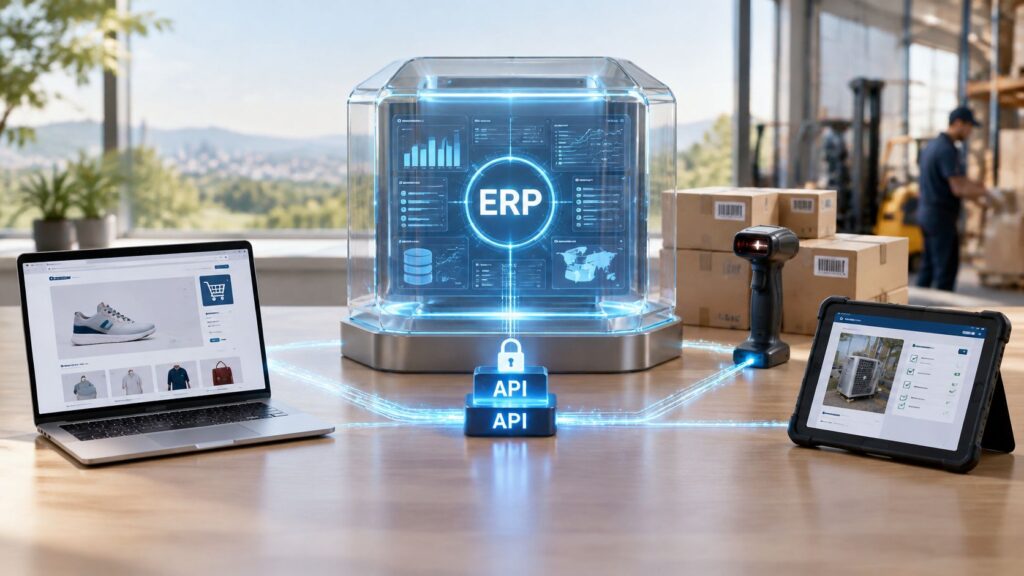
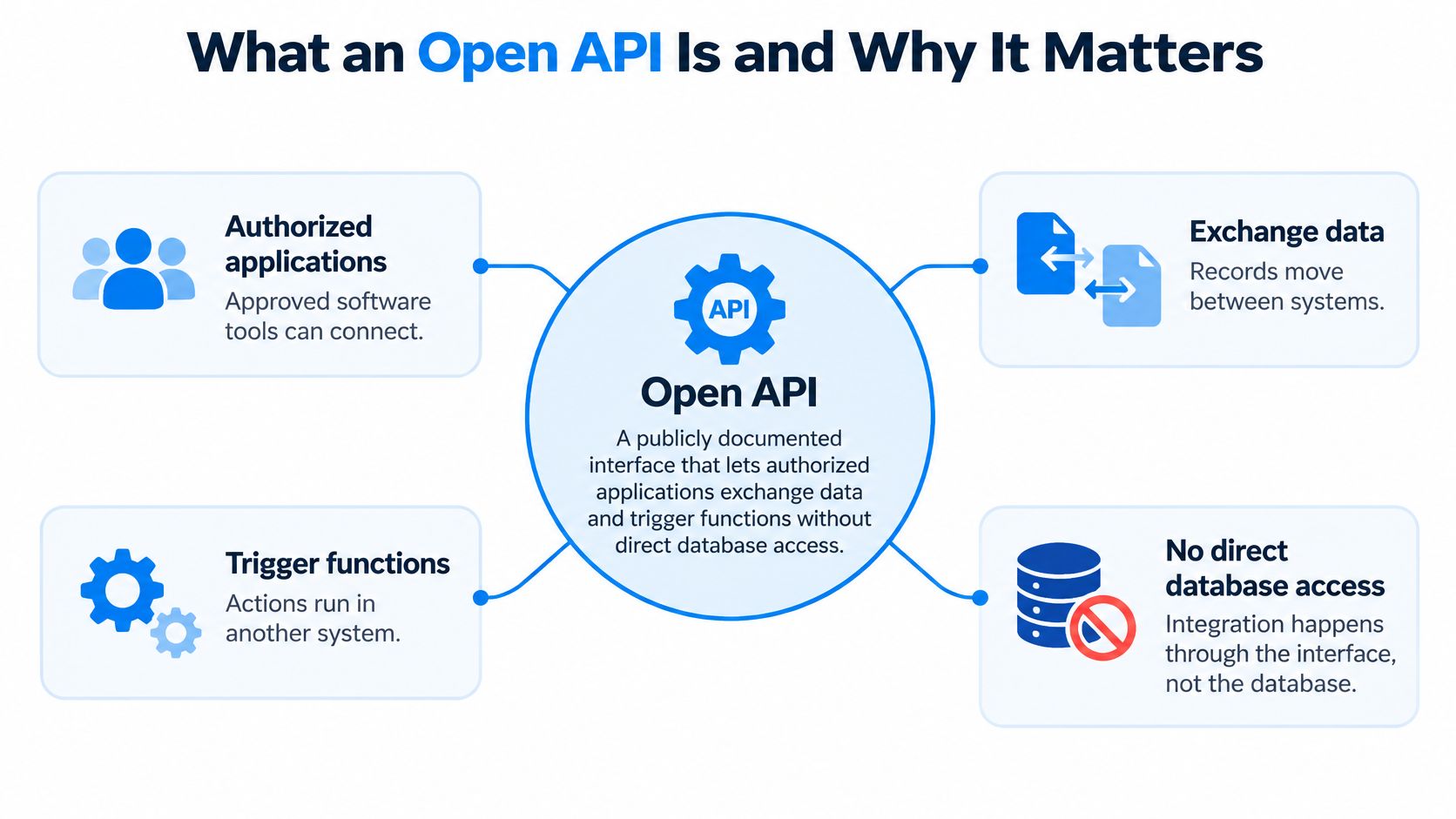
An open APIAn API (Application Programming Interface) allows software systems to exchange information. Connected to an ERP system, it helps transfer business data and reduce manual entry. is a publicly documented interface that lets authorized applications exchange data and trigger functions in an ERPAn ERP system connects a company’s core processes—such as sales, finance, inventory, manufacturing, and service—in one place so teams can work with shared information. without direct access to its database. If your team rekeys shop orders, checks stock in a second system, or waits for technicians to phone in job updates, you’re feeling the gap that interface is meant to close. The records already exist. They just can’t move safely between the tools that need them.
What an Open API Is and Why It Matters
Think of a restaurant menu. It lists what the kitchen serves and how to order it, so guests never enter the kitchen. An open API works the same way. It’s the menu, and your ERP keeps control of the kitchen, its staff, and its recipes.
That answers what is an open API in practical terms. The interface contract is open and documented, not necessarily the source code behind it. Another system can integrate without knowing how the ERP works internally, because it only needs the published rules for asking and answering.
The Three Parts You Should Recognize
- Endpoints: Addresses for resources such as customers, products, orders, and invoices. Each endpoint represents one kind of record or action.
- Requests and responses: Defined fields going in and out, with documented response codes and error formats so the calling system knows what happened.
- Authentication rules: Checks that confirm who’s calling before any data moves, often through API keys or OAuth permissions.
The Swagger guide to open APIs describes the OpenAPI Specification as a machine-readable description of RESTful APIs, mapping available resources and operations so people and tools can understand how an API behaves. That shared format matters because documentation, testing tools, and client code can all read the same contract.
Open means documented. It doesn’t mean anonymous, free, or unrestricted.
Say a sales app creates an order, a warehouse system checks stock, and a field app submits a job update. Each one uses documented endpoints instead of touching the database, so the ERP still enforces validation and transaction rules. Teams in regulated niches apply the same discipline when vetting third-party interfaces, as this guide to API selection for halal investment apps shows from a fintech angle.
Your first action isn’t writing code. List the endpoints and permissions an integrationIntegration connects systems so they can exchange information or coordinate actions. An ERP integration helps link business tools and reduce manual transfers between them. needs, and nothing more.
Why APIs Come First in ERP Interoperability
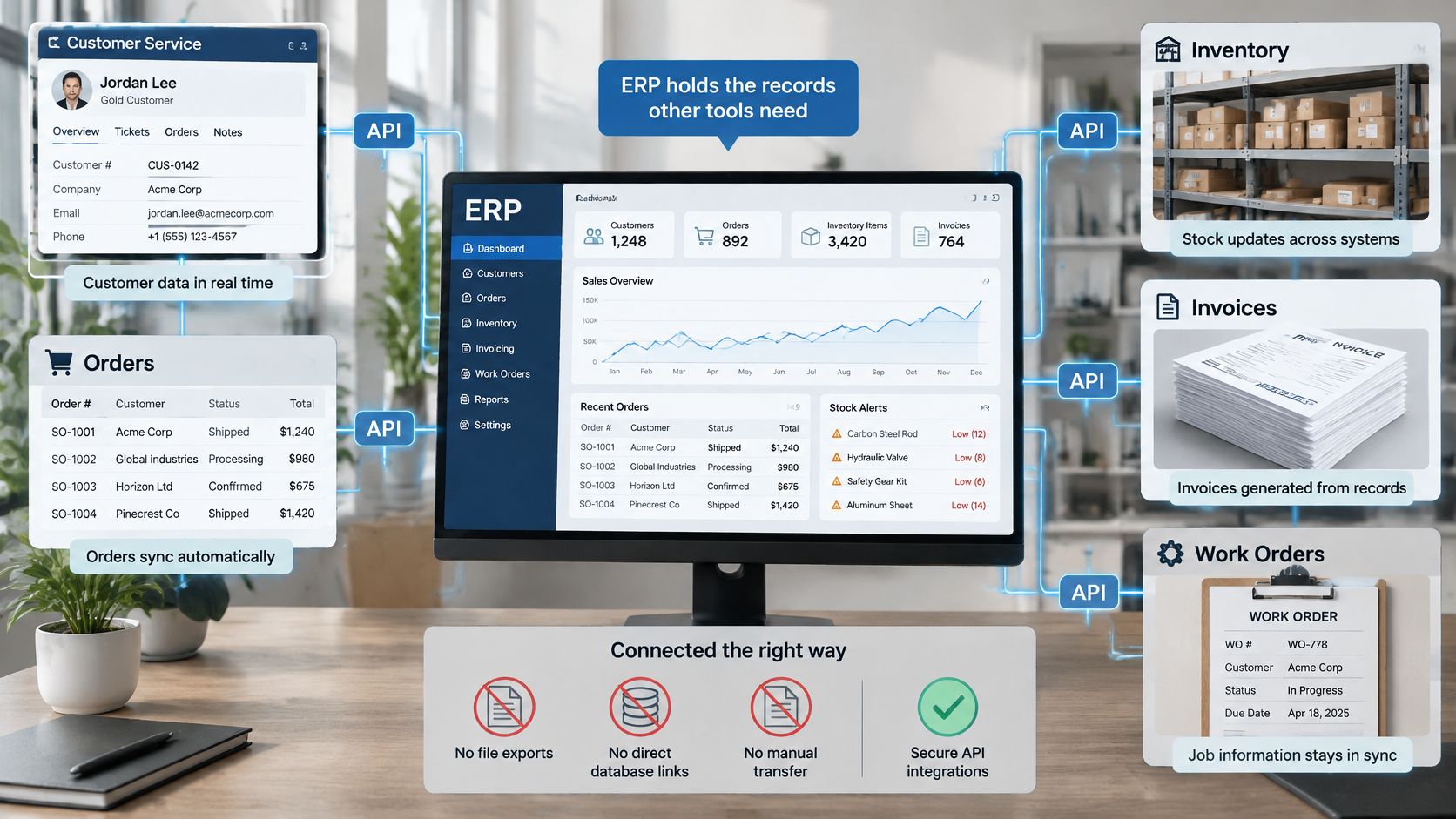
Your ERP holds the records every other tool wants. Customers, orders, stock, invoices, and job records sit in one place, while your shop, warehouse app, and accounting tool each need pieces of them. Without an API, teams bridge that gap with file exports, direct database links, or manual retyping, and each workaround breaks in its own way.
The deeper problem is point-to-point integration. Five systems that all connect to each other can need up to ten separate links, each with its own field rules and failure modes. Change one system and you may have to rebuild four connections.
One Governed Layer Instead of Ten Links
With a single API layer, each system connects once to a shared contract. That’s why I’d treat API access as a priority function, not an add-on. Any system that must reach third-party applications, whether it’s an e-commerce platform, an accounting tool, or a logistics service, gets to the data layer through that interface.
The ERP keeps authority throughout. It validates incoming values, applies transaction rules, and rejects anything that doesn’t fit, so external tools can’t write whatever they like into core records.
Here’s a hypothetical example. A mid-size distributor rekeys online shop orders every morning, which creates duplicates and missed stock updates. After connecting through an API, each order arrives once and stock levels update from that same record, so sales and the warehouse finally see identical numbers.
Before you buy or build anything, confirm that every system involved can read and write through a documented interface. If one can’t, that system becomes your manual bottleneck.
REST and GraphQL Explained for ERP Data
Most ERP integrations use one of two request styles, and the right choice depends on one question. Does the application need one record, or a connected view of several records at once? REST gives each resource its own address, so reading one customer or creating one sales order is direct and predictable. GraphQL uses one endpoint and lets the application name exactly the fields it needs, including related records, in a single query.
| Aspect | REST | GraphQL |
|---|---|---|
| Core model | Resources with their own addresses, such as one endpoint per customer or order | One endpoint with a query that names the fields and related records needed |
| Typical ERP request | Read one customer or create one sales order | Read a customer with open orders and current stock in one query |
| Main strength | Simple, predictable and easy to document per resource | Returns exactly the requested fields and related data in one call |
| Main trade-off | Several calls may be needed to assemble related data | Queries need careful design and permission checks at each field |
| Write operations | Create, update and delete actions per resource | Changes are sent as mutations that need the same validation and permissions |
| Best ERP fit | Standard record actions across modules | Mobile or portal screens that combine several record types |
How to Choose Between Them
REST fits straightforward actions on individual records. Confirming a shipment or posting a stock count doesn’t need a flexible query, and a fixed endpoint is easier to test and document. GraphQL fits screens that combine record types, such as a technician’s phone showing the customer, the asset, open orders, and parts availability together.
Many integrations use both, and that’s fine. What doesn’t change is the discipline around writes. Both styles need the same validation and permission checks before a record changes.
Retries deserve special care. If a create request times out and the caller sends it again, you can end up with duplicate orders or invoices unless the API recognizes the repeat. Match the style to the action, and document which fields each call reads or changes before development starts.
Security Controls for Open API Access
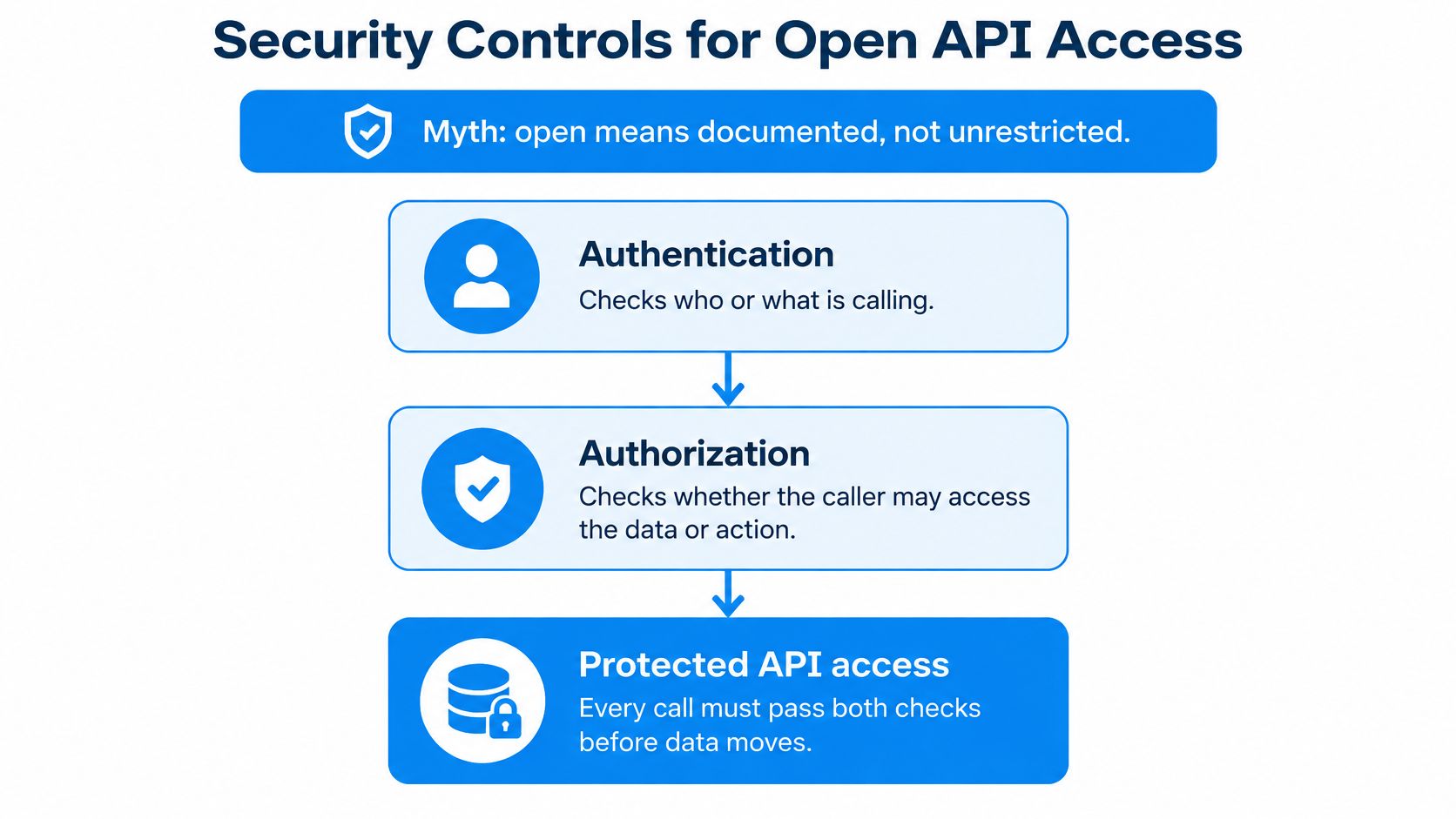
The common myth is that an open API is an open door. Openness describes the documentation, while access stays controlled through authentication, authorization, and policy checks on every call. Authentication confirms who or what is calling. Authorization then checks whether that caller may touch the specific record in the request. For an ERP, the API is a controlled route into the data layer, and the scopes you grant decide how much of it each integration can reach.
Weak APIs fail on the second check. The OWASP API Security Top 10 project ranks Broken Object Level Authorization as API1 in its 2023 material, meaning an API must verify the caller may access the specific record requested, not just hold a valid account. A technician who can view one customer’s service order should never reach another customer’s order by changing an ID. Of the controls below, this one deserves the first test.
The Controls That Block Real Risks
- Authentication: Require API keys or OAuth 2.0 tokens on every call, so anonymous requests never reach the data layer.
- Object-level authorization: Check permission for each record and action, not just the account.
- Least-privilege scopes: A warehouse app may read stock and confirm shipments; it never reaches payroll.
- Token rotation and revocation: Replace tokens on a schedule and revoke them when access changes or ends.
- Input validation: Check schemas and content types so malformed requests get rejected before they touch a record.
- Rate limits and timeouts: Cap request volume so one faulty client cannot exhaust ERP resources.
- Audit logs and correlation IDs: Trace each request across systems when something goes wrong.
- Pre-development review: Assess security and reliability before anyone writes integration code.
Isolation sets the outer limit of what any credential can reach. In SIX ERP, customer data sits in the customer’s own pod, with no shared database and no access from outside, which limits what a single compromised token could expose. Software supports every control on the list, yet the company remains responsible for its legal duties, including data protection. Businesses preparing for those wider obligations can read how NIS2 cybersecurity requirements affect ERP preparation.
Reference shortlist: The OpenAPI Specification for the contract format, the OWASP API Security Top 10 2023 for vulnerability patterns, and NIST guidance on API runtime protections.
Clean Data Before Any API Connects
Say your shop and your ERP both store customer addresses, and neither one owns the record. A customer updates their address in the shop, then a salesperson edits the ERP copy, and each sync overwrites the other. The API won’t decide which address is correct. It moves data faithfully, including duplicates and errors, so poor data spreads faster.
Seven Steps Before the First Sync
- Name one owner: Assign each data item, such as customer, product, price, stock, or employee record, to one owning system.
- Create master records: Keep one record per customer or product, each with a unique ID.
- Standardize formats: Align units, dates, tax codes, and currency, using EUR for pricing.
- Remove duplicates: Clean them out before the first connection, not after.
- Decide read and write rights: For each field, define which system reads, which writes, and when.
- Validate at the API layer: Reject values that break your rules instead of storing them.
- Monitor rejections weekly: Review failed requests and fix the source data, not just the symptom.
Data hygiene stops being housekeeping and becomes integration work. Our guide to ERP system data and keeping it usable covers the ownership habits behind these steps. If you’re also filling gaps in customer records from outside sources, this explainer on waterfall enrichment shows how layered lookups work, though enriched fields still need one owner before they sync anywhere.
Clean data and clear ownership come first. Connect second.
ERP Integration Patterns and How to Map Yours
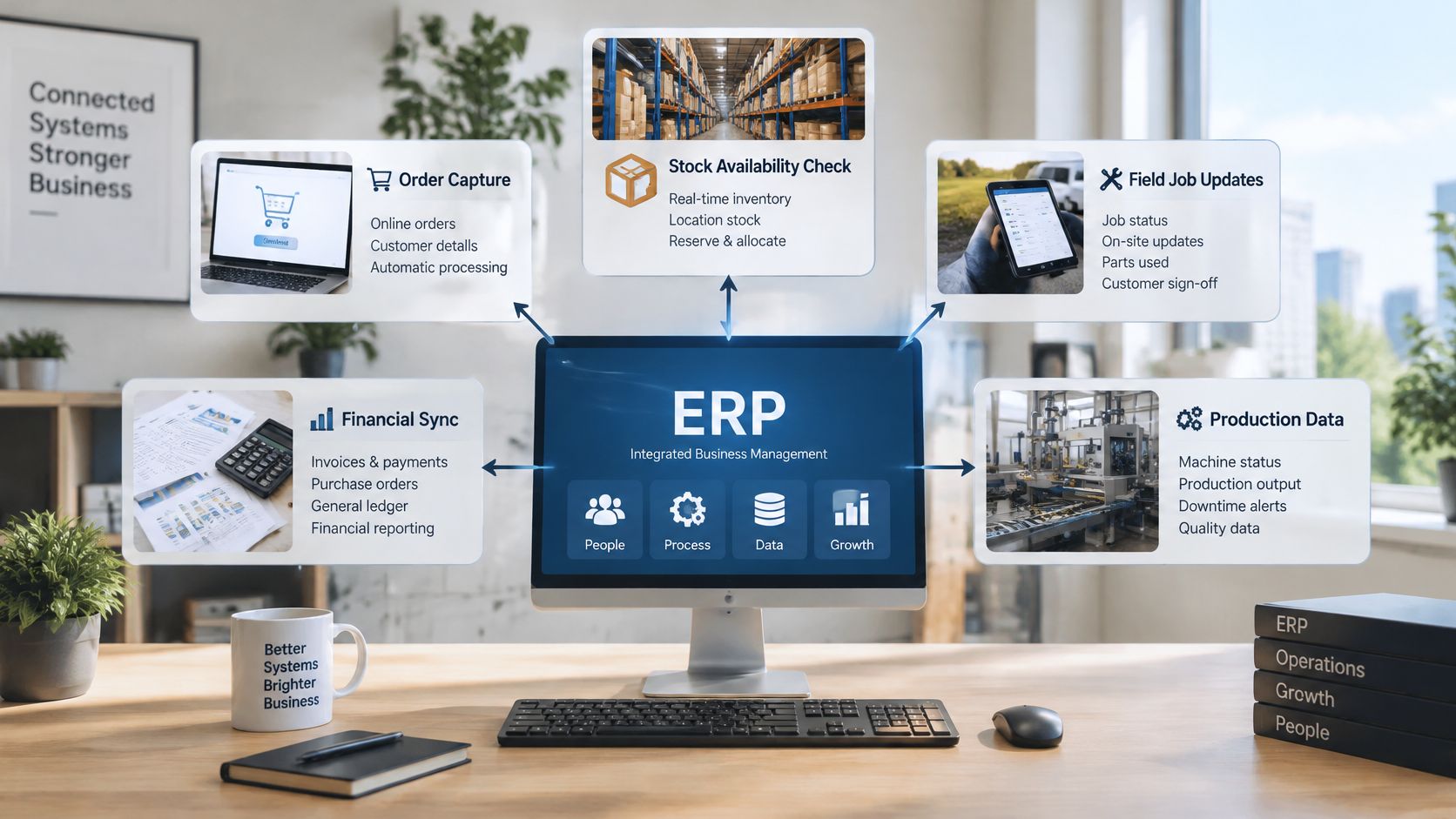
Most ERP integrations reduce to five repeating patterns. Each one has a natural data owner inside the ERP and a failure point that shows up repeatedly when nobody plans for it. Choosing a pattern is really choosing who owns the data and how far each caller’s access reaches.
| Pattern | Example | Data owner | Failure point to watch |
|---|---|---|---|
| Order capture | Online shop sends a new order to the sales module | Sales module | Duplicate orders after a timeout and retry |
| Stock availability check | Shop or warehouse app reads stock before promising delivery | Stock module | Stale counts when receipts are posted late |
| Field job updates | Technician app records time, parts and customer approvalAn approval is a formal decision that allows a request or action to proceed. An ERP system can route approvals and record who made each decision. | Service module | Parts used but not recorded, which delays invoicing |
| Financial sync | Invoices and payments flow to an accounting platform | Finance module | Mismatched tax or account codes |
| Machine or production data | Shop-floor equipment sends completion counts | Manufacturing module | Unclear units or late timestamps |
One Pattern Worked End to End
A field service job shows how the pieces join up. Customer and asset details flow to the technician, the job is assigned, and status updates during the visit. The technician records time and parts used, the customer approves the work, and the completed record moves on to inventory and invoicing.
The API joins those records so the process runs from dispatch to billing without retyping. In SIX ERP, that is ServiceFlow for field service handing off to StockFlow for inventory and FinanceFlow for billing, with CustomerFlow holding the customer record throughout. The known weakness in this pattern is parts capture: if a part never reaches the stock record, the warehouse count stays wrong and the invoice under-bills. Customer, sales order, inventory, and service-work areas tend to matter most because they connect directly to everyday actions.
Map Your Own Integration in Six Steps
- List each business step the integration touches, from trigger to final record.
- Match each connection to one of these patterns, so its known failure point is on your list from day one.
- Name the owning system for every record involved.
- Define read or write for each call, and set the access scope to match the caller’s job.
- List the required fields each step needs to succeed.
- Rehearse the failure case, such as a timeout retry or a late timestamp, before go-live.
My recommendation is to test the failure case before the happy path, because a duplicate order costs far more to unwind than a delayed one. The exact scope always depends on your processes and approved workflows.
SIX ERP connects with external applications, e-commerce platforms, accounting tools, logistics services, and other business systems through integrations and APIs, and its solutions share one connected data foundation so information entered once is used where it is needed. Connecting accounting, portals, machines, or specialist systems is part of the Integration & ConfigurationConfiguration sets up software using its existing options. In an ERP system, it adapts workflows, roles and other settings to the company's business processes. & CustomizationCustomization changes or adds software functionality beyond standard settings. In an ERP project, it can meet specific business needs while adding development and maintenance work. service. When configuration alone is not enough, focused integrations or custom development are evaluated, and each extension is assessed, tested, documented, and introduced according to clear business value.
If you are weighing whether a connection is worth building at all, the overview of ERP integrations and when they make sense is a practical next read, and a SIX expert can walk through your specific process with you.
If your shop, warehouse, accounting tool, or field team still relies on exports and retyping, SIX ERP can connect those systems through integrations and APIs. Book an appointment to discuss which records need to move, which system owns them, and what the integration should cover.