

A manufacturing ERPAn ERP system connects a company’s core processes—such as sales, finance, inventory, manufacturing, and service—in one place so teams can work with shared information. checklist is a list of the things a system must prove before you buy it: that it can show what is being made, what material it needs, and where that material sits right now. Most evaluations start with feature lists. That is backwards. Start with the questions your planner, buyer and warehouse lead can’t answer today, then check whether each system answers them from one set of records.
Why Most ERP Evaluations Miss Visibility
Picture a normal Tuesday. Sales promises a delivery date. Purchasing orders material against last week’s spreadsheet. The warehouse knows the real stock count, but nobody asked. Production finds the shortage when the work order is already on the floor.
None of these people are careless. They are working from different copies of the truth.
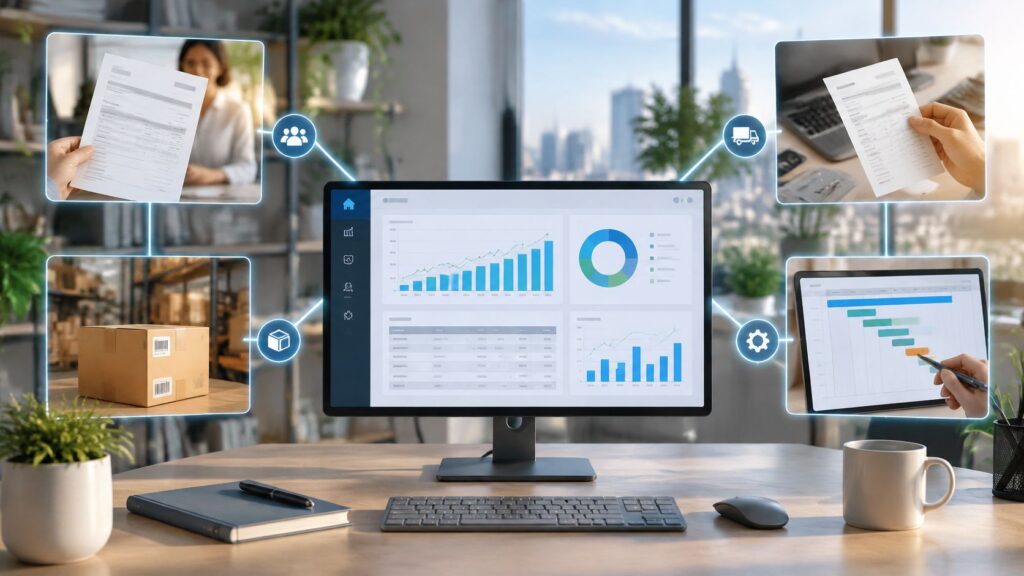
Visibility isn’t a dashboardA dashboard brings key figures and status information together on one screen. An ERP dashboard helps teams monitor performance and identify issues that need attention.. It is the result of every department recording its work in the same place, as it happens. A dashboard on top of disconnected tools only shows the disagreement faster.
So the first rule of any ERP requirements checklist is simple. Don’t score a system merely because its reports look good in a demo. Score it on whether the numbers behind those reports come from live transactions.
The Core Production Checklist
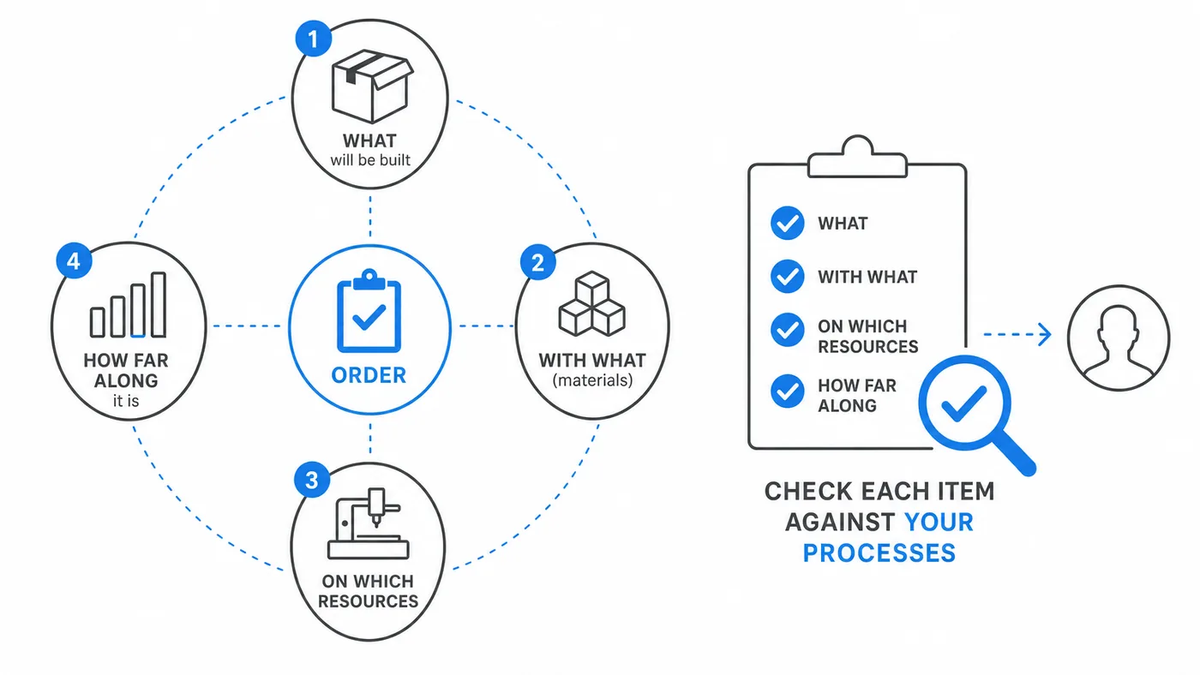
Production visibility means you can see, for any order, what will be built, with what, on which resources, and how far along it is. Check each item against your own processes, not the vendor’s sample company.
- Production modes. Can the system plan make-to-order, make-to-stock and hybrid production? Most small manufacturers run more than one.
- Bills of materials. Can you maintain multi-level BOMs, versions and substitutes without exporting to a spreadsheet?
- Work orders. Are work orders created from demand, with materials reserved at the moment of creation?
- Capacity. Can planners see machine and labor load before they commit a date?
- Shop-floor status. Can operators record start, stop, quantities and scrap where the work happens?
- Quality. Are inspections and non-conformities tied to the specific order and batch?
- Costing. Do actual material and labor costs flow back to the order, or does finance rebuild them at month end?
If a vendor answers “yes, with a custom report” to more than two of these, treat it as a no. Workarounds are where visibility goes to die. Quietly.
The Core Inventory Checklist
Inventory visibility means one stock figure that sales, purchasing, production and finance all trust. Not four figures and a meeting to reconcile them.
| Requirement | What to ask in the demo | Why it matters |
|---|---|---|
| Multi-location stock | Show stock by warehouse, zone and bin | Shortages often hide in the wrong location |
| Reservations | Reserve stock for an order and show what is still free | Free stock and on-hand stock are not the same number |
| Batch and serial numbers | Trace a finished product back to its material batches | TraceabilityTraceability follows a product or material through its history, from origin to use or delivery. An ERP system connects the records needed to investigate issues and track affected items. is required for recalls and audits |
| Receiving | Book a supplier delivery against its purchase order | Late booking creates phantom shortages |
| Picking and packing | Run a pick list for a production order | Material issued but not recorded breaks costing |
| Cycle counts | Count one location without freezing the warehouse | Full stocktakes are too rare to keep data honest |
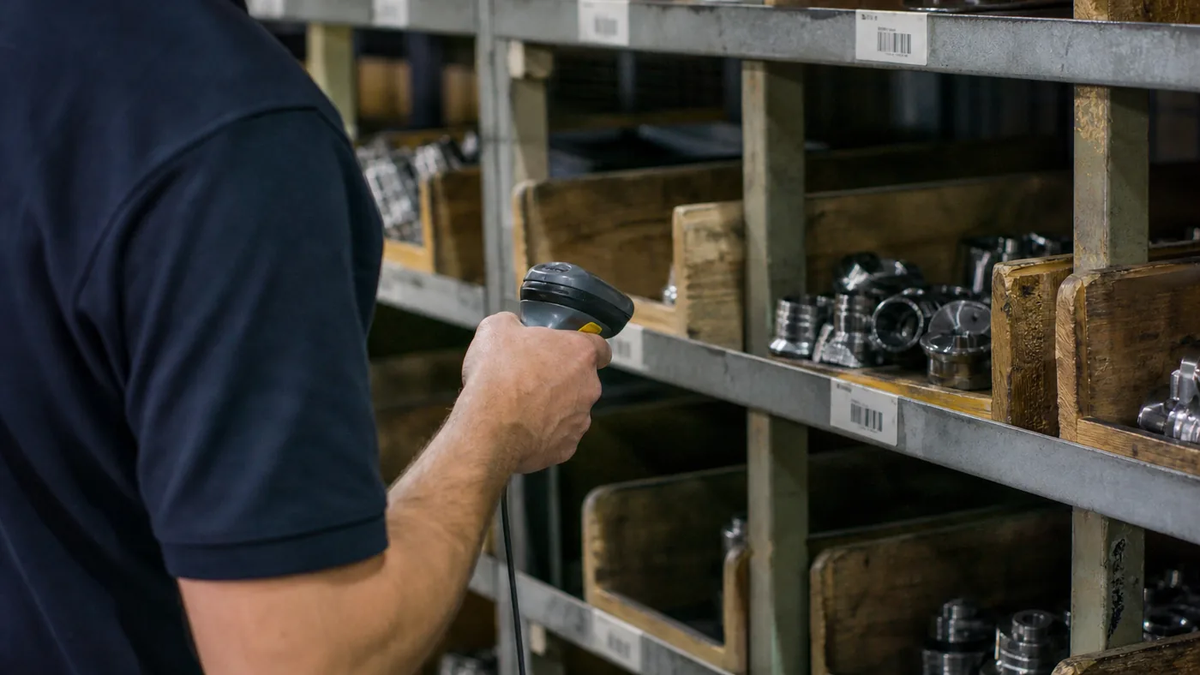
Production inventory visibility depends on the boring rows in this table. Reservations and receiving matter more than any chart.
Integration and Data Requirements
A manufacturing ERP is only as current as the data feeding it. Ask where each number comes from, and how it gets there.
List every system you plan to keep. Typical candidates are an existing accounting platform, an online shop, supplier portals, barcode devices and production equipment. For each one, confirm three things:
- Is the connection standard, or custom development?
- Does data move in real time, on a schedule, or by manual import?
- Who owns the integrationIntegration connects systems so they can exchange information or coordinate actions. An ERP integration helps link business tools and reduce manual transfers between them. after go-live?
Manual imports are not integration. They are scheduled re-keying.
Also check permissions and audit trails. If several legal entities, sites or currencies share one environment, each team should see what it needs and nothing else. Every change to stock or a work order should leave a record of who made it and when.
Turning the Checklist Into an ERP Evaluation Template
An ERP evaluation template turns the checklist into a score you can defend. Without one, the loudest stakeholder picks the system.
Keep it short. Give each requirement three columns: weight, score and evidence.
- Weight reflects how much the requirement costs you today. A daily shortage problem outranks a reporting preference.
- Score comes from a scripted demo using your own products, BOMs and orders.
- Evidence is a note on what you actually saw. “Vendor said yes” is not evidence.
Run every shortlisted system through the same script. That includes well-known platforms such as Odoo, Microsoft Dynamics 365 Business Central and SAP Business One, and smaller specialists. The template only works if the test is identical. For a wider view of how to weigh the options, see this guide on comparing ERP options for small manufacturers.
Then add the costs that don’t show up in the license quote: implementation, data migration, training, integrations and post-go-live support. A cheap license with an expensive cutover isn’t cheap.
How SIX ERP Covers the Checklist
SIX ERP connects sales, purchasing, inventory, manufacturing and finance in one managed environment, so the checklist items above read from the same records.
- ManufacturingFlow handles production planning for make-to-order, make-to-stock and hybrid production, plus bills of materials, work orders, capacity, shop-floor execution, quality, traceability and costing.
- StockFlow manages warehouses, reservations, picking, packing, batches, serial numbers and multi-location stock. You can review the details of warehouse and inventory management in StockFlow.
- PurchaseFlow covers requests, approvals, purchase orders and incoming deliveries, so receiving updates stock as goods arrive.
- FinanceFlow carries costs and profitability through to reporting.
Integrations with accounting platforms, online shops, supplier portals, barcode devices and production equipment are built through APIs and custom development where needed. The configurationConfiguration sets up software using its existing options. In an ERP system, it adapts workflows, roles and other settings to the company’s business processes. follows your process mappingProcess mapping documents the steps, people and decisions involved in business work. In an ERP project, it helps define workflows and identify improvements before system setup., rather than forcing a generic workflowA workflow defines the steps, responsibilities and decisions needed to complete work. An ERP system can guide tasks through these stages and show progress.. To see how these modules fit together, explore the connected manufacturing ERP features.
Licensing is annual. Implementation, migration and customizationCustomization changes or adds software functionality beyond standard settings. In an ERP project, it can meet specific business needs while adding development and maintenance work. are scoped separately, which keeps the total cost visible before you sign.
Test Your Manufacturing ERP Requirements With SIX
Does your ERP give you a complete picture of production, materials, inventory, and costs? SIX ERP connects manufacturing planning, purchasing, warehouse operations, and finance through shared, real-time information. Talk to our experts about your production challenges, review your ERP requirements checklist, and discover how SIX can improve visibility, eliminate disconnected workflows, and support better manufacturing decisions.
Next Step
Take this checklist to your planner, buyer and warehouse lead before you book a single demo. Their unanswered questions are your real requirements. When you are ready to test them, ask SIX ERP for a scripted walkthrough using your own products and orders at six.ms.

Frequently Asked Questions
Frequently Asked Questions About Manufacturing ERP Requirements
What should a manufacturing ERP checklist include?
It should cover production planning, bills of materials, work orders, capacity, shop-floor status, quality and costing on the production side. On the inventory side, it needs multi-location stock, reservations, batch and serial traceabilityTraceability follows a product or material through its history, from origin to use or delivery. An ERP system connects the records needed to investigate issues and track affected items., receiving and cycle counts. Add integrations, permissions, audit trails and the full cost of implementation. Each item should be tested with your own data in a scripted demo.
How do I compare ERP software for small manufacturers?
Use one weighted evaluation template and the same demo script for every vendor. Weight requirements by what they cost you today, score what you actually see, and record evidence. Compare total cost, not license price alone. Implementation, migration, training and support often decide whether the project succeeds, regardless of which platform you pick.
What is production inventory visibility?
It is the ability to see, at any moment, what material is on hand, what is reserved, what is on order and what each production order still needs. It depends on purchasing, warehouse and production recording transactions in one system as they happen. A report built from separate tools shows yesterday’s position, not today’s.
Should ERP pricing be part of the requirements checklist?
Yes, but as a separate section. Ask how licensing works, whether costs grow per user or per module, and what implementation, migration, integrations and support will add. Ask for these as written, scoped figures. A requirements checklist that ignores total cost of ownership tends to pick the system with the lowest headline price.
What are the most important ERP features for manufacturing companies?
The most important manufacturing ERPAn ERP system connects a company’s core processes—such as sales, finance, inventory, manufacturing, and service—in one place so teams can work with shared information. features include production planning, bills of materials (BOMs), material requirements planning (MRP), work orders, capacity scheduling, inventory management, quality control, and production costing. Manufacturers should also evaluate shop-floor data collection, batch and serial-number traceabilityTraceability follows a product or material through its history, from origin to use or delivery. An ERP system connects the records needed to investigate issues and track affected items., purchasing integrationIntegration connects systems so they can exchange information or coordinate actions. An ERP integration helps link business tools and reduce manual transfers between them., and financial reporting. The greatest benefit comes when these functions share accurate operational information rather than operating as separate modules that require manual data transfers.
How does manufacturing ERP improve production planning and scheduling?
Manufacturing ERPAn ERP system connects a company’s core processes—such as sales, finance, inventory, manufacturing, and service—in one place so teams can work with shared information. connects customer demand, material availability, bills of materials, work centers, and production capacity. This allows planners to create manufacturing orders based on actual requirements and identify material or capacity constraints before releasing work. When production conditions change, planners can review affected orders and adjust schedules. Systems such as SIX ManufacturingFlow support make-to-order, make-to-stock, and hybrid manufacturing, helping companies coordinate production requirements with purchasing, warehouse availability, and shop-floor execution.
Why are bills of materials and work orders essential in manufacturing ERP?
A bill of materials defines the components, quantities, and subassemblies required to manufacture a product. Work orders translate these requirements into actual production activities, including operations, work centers, materials, and planned times. Together, they establish what must be produced, which resources are required, and how production costs should be calculated. Manufacturing ERPAn ERP system connects a company’s core processes—such as sales, finance, inventory, manufacturing, and service—in one place so teams can work with shared information. should connect BOMs and work orders with inventory reservations, purchasing requirements, and actual material consumption so that production information remains consistent throughout the manufacturing process.
How can ERP improve inventory accuracy in manufacturing?
ERPAn ERP system connects a company’s core processes—such as sales, finance, inventory, manufacturing, and service—in one place so teams can work with shared information. improves inventory accuracy by recording goods receipts, stock transfers, reservations, material picking, production consumption, and finished goods movements in a shared inventory system. Barcode scanning, batch tracking, and cycle counting can reduce manual entry errors and help maintain reliable stock records. Connecting warehouse transactions with production orders ensures that material consumption is reflected in inventory availability. Accurate stock information helps purchasing teams avoid unnecessary orders and production planners identify shortages before manufacturing begins.
What should manufacturers test during an ERP software demonstration?
Manufacturers should test a complete operational scenario using their own products, materials, and production requirements. Begin with a customer order, verify inventory availability, create a manufacturing order from the BOMA Bill of Materials (BOM) lists the materials and components, and their quantities, needed to make a product., check machine capacity, and identify missing materials. Continue through purchasing, warehouse picking, shop-floor execution, quality inspection, finished goods receipt, and production costing. Ask the vendor to demonstrate an exception, such as a supplier delay or machine breakdown. Record what works directly, what requires additional configurationConfiguration sets up software using its existing options. In an ERP system, it adapts workflows, roles and other settings to the company's business processes., and which capabilities need customizationCustomization changes or adds software functionality beyond standard settings. In an ERP project, it can meet specific business needs while adding development and maintenance work. or integrationIntegration connects systems so they can exchange information or coordinate actions. An ERP integration helps link business tools and reduce manual transfers between them..
How does manufacturing ERP support quality control and product traceability?
Manufacturing ERP supports quality control by connecting inspections, production orders, materials, batches, and finished products. Manufacturers can record inspection results, identify nonconforming materials, and trace affected products through production and warehouse transactions. Batch and serial-number tracking can help identify which supplier materials were used in specific manufacturing orders and which customers received the finished products. These capabilities are particularly important in food production, automotive manufacturing, electronics, and other industries with strict quality or traceabilityTraceability follows a product or material through its history, from origin to use or delivery. An ERP system connects the records needed to investigate issues and track affected items. requirements. The specific controls must match the company’s regulatory and operational needs.
What is the difference between inventory visibility and production visibility?
Inventory visibility shows what materials and finished products are available, reserved, in transit, or expected from suppliers. Production visibility shows what is being manufactured, which work orders are active, which machines and employees are assigned, and whether production is progressing according to plan. Manufacturing ERP connects both views. For example, when production consumes raw materials, inventory should update accordingly, while the manufacturing order records the actual consumption and production progress. This connection helps departments work with consistent operational information.
How does SIX ERP connect production, inventory, purchasing, and finance?
SIX ManufacturingFlow manages manufacturing orders, BOMs, routing, production planning, work centers, and shop-floor operations. SIX StockFlow manages inventory availability, reservations, warehouse movements, picking, and traceabilityTraceability follows a product or material through its history, from origin to use or delivery. An ERP system connects the records needed to investigate issues and track affected items.. SIX PurchaseFlow connects material requirements with purchasing activities, while SIX FinanceFlow supports financial records, costs, and reporting. Together, these integrated modules allow manufacturers to connect customer demand, production requirements, material consumption, purchasing, and financial information without maintaining separate operational records.