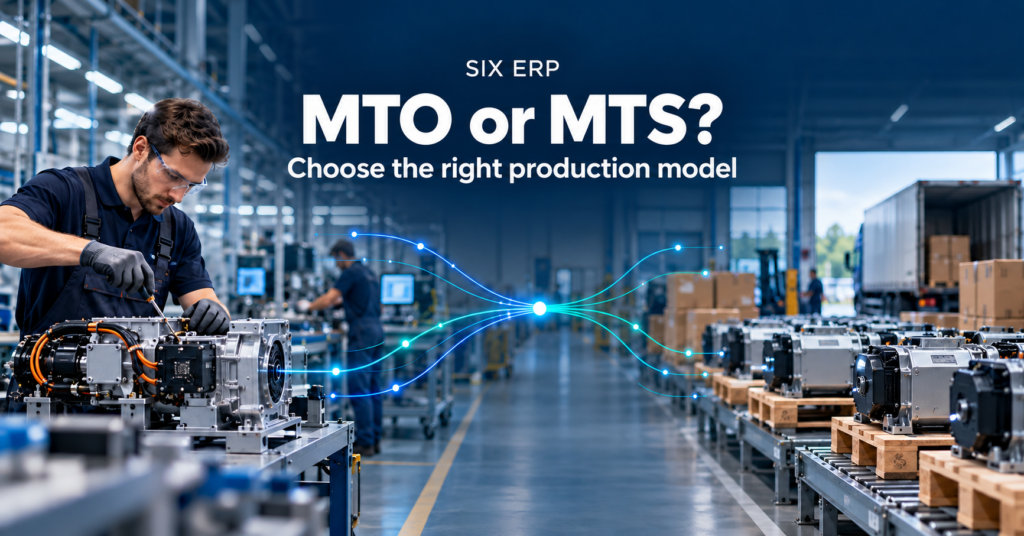
A growing company can reach a point where its Odoo setup still handles individual tasks, but the full order-to-delivery process takes too much watching. A salesperson checks stock in one place, the warehouse tracks picking in another, and finance waits for delivery details before invoicing. When teams need manual follow-ups to keep updates moving, comparing ERPAn ERP system connects a company’s core processes—such as sales, finance, inventory, manufacturing, and service—in one place so teams can work with shared information. vendors by feature lists alone won’t show which system can run the work as a whole.
The best Odoo alternative depends on how sales, inventory, purchasing, manufacturing, service, and finance connect in your operation. Compare the handoffs between them, who owns implementation and ongoing support, the effort required to migrate data and customize workflows, and the total cost of ownership (TCO), meaning the full cost of adopting and running the system. ERP projects can take longer and cost more than their initial estimates, so ask vendors to explain their assumptions, not just their subscription model. A practical ERP implementation playbook can help your team prepare for those conversations.
Here are eleven platforms worth evaluating, with the trade-offs framed around connected operations, implementation burden, and fit. The right shortlist should reflect the work your teams do, including what happens when stock runs short, a job changes, or an order needs correction.
1. SIX ERP
SIX ERP suits organizations that want sales, purchasing, inventory, manufacturing, projects, service, finance, and HR to work through connected processes rather than a patchwork of spreadsheets and tools. Its flows cover distinct responsibilities: SalesFlow handles sales and proposals, PurchaseFlow supports procurement, StockFlow connects warehouse activity, FinanceFlow supports financial processes, and other flows address manufacturing, service, projects, people, and customer records.
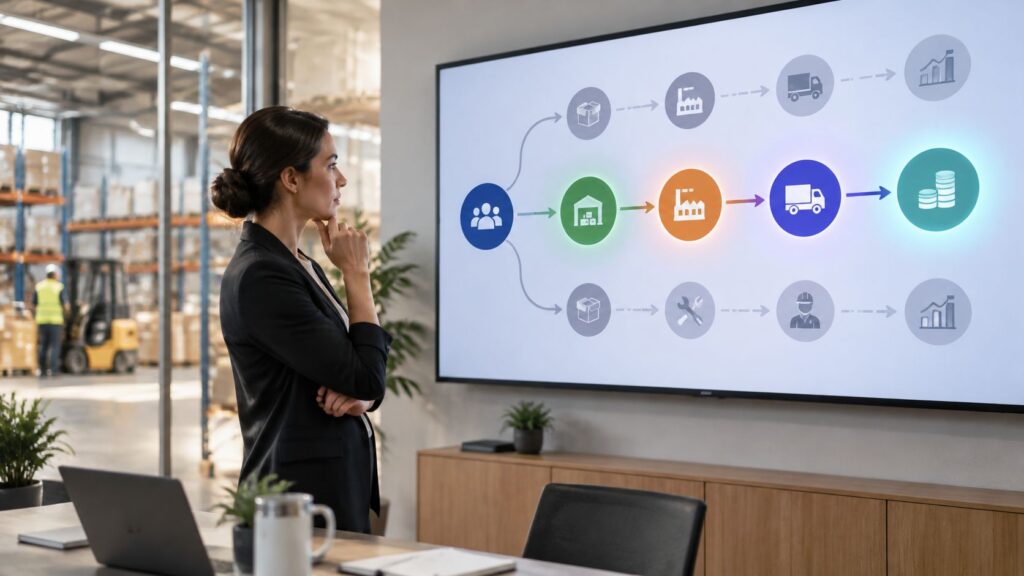
The value of that structure shows up when an order hits an exception. Say a customer order comes in and the warehouse finds only partial stock. Purchasing or production has to respond before the team commits to a delivery date, and finance still needs the final shipment details to invoice correctly. A connected workflow lets sales, warehouse, and finance staff follow the same order through picking, delivery, and invoicing, which reduces the repeated cross-checks that separate records tend to create.
For manufacturers, SIX ManufacturingFlow connects customer orders with production planning, bills of material, materials, work steps, quality checks, and progress updates. That matters when production status affects delivery dates or the next purchasing decision. Role-based dashboards and drill-through reporting give teams a view of business activity tied to underlying transactions. Web and mobile applications also support coordination between office staff and field teams.
What to weigh before choosing
SIX’s flow-based approach includes process mappingProcess mapping documents the steps, people and decisions involved in business work. In an ERP project, it helps define workflows and identify improvements before system setup., configurationConfiguration sets up software using its existing options. In an ERP system, it adapts workflows, roles and other settings to the company's business processes., integrationIntegration connects systems so they can exchange information or coordinate actions. An ERP integration helps link business tools and reduce manual transfers between them., training, and ongoing support. That can be a fit for companies that want implementation to start with how work moves between teams. It also means a broad rollout still requires time for requirements, decisions, data preparation, testing, and user adoption.
SIX states that there are no additional per-user charges for teams above 31 users. For operations with many warehouse, production, service, or approvalAn approval is a formal decision that allows a request or action to proceed. An ERP system can route approvals and record who made each decision. users, that licensing model can change the cost comparison against per-seat alternatives, so it deserves a place in any shortlist calculation. Pricing is not published, which means buyers should scope licensing, implementation, support, integrations, and customizationCustomization changes or adds software functionality beyond standard settings. In an ERP project, it can meet specific business needs while adding development and maintenance work. with SIX directly before comparing total cost of ownership.
For a deeper comparison with Odoo and other suites, see SIX ERP’s comparison of Odoo, Oracle, NetSuite, Microsoft Dynamics 365, SAP, and Sage.
2. ERPNext
ERPNext is an open-source ERP from Frappe that brings accounting, CRM, sales, purchasing, inventory, projects, HR, and manufacturing into one system. Its appeal is straightforward: a business can consider broad operational coverage while retaining a self-hosting option and room to adapt workflows.
The connected-workflow question is whether its records and processes match the way your team runs a plant or distribution operation. ERPNext includes manufacturing tools such as bills of material, work orders, job cards, and manufacturing costing. Inventory can track batches, serial numbers, and expiry dates, while accounting, purchasing, sales, and production records can share context. That makes it a candidate for small and midsize organizations that want to connect purchasing decisions to stock and production needs.
Where flexibility brings responsibility
Open-source software doesn’t remove the work of running an ERP. Self-hosting requires technical capacity for infrastructure, backups, updates, and security practices. Significant customization also needs capable internal staff or an implementation partner, and those services have costs beyond the software license.
Before choosing ERPNext, test the exceptions that matter to your operation: how staff handle a substitute material, a production delay, a partial delivery, or a batch that needs investigation. Complex plant-floor requirements also deserve careful validation against the proposed setup. The key trade-off is control and adaptability versus the technical and implementation effort needed to maintain them.
Visit the ERPNext website to assess its current product and deployment options.
3. Microsoft Dynamics 365 Business Central
Business Central is a cloud ERP for small and midsize organizations that need finance and operations in one system. It covers financial management, purchasing, sales, inventory, supply chain, and manufacturing capabilities. Companies already using Microsoft 365 or the Power Platform may also value how the ERP fits into that wider environment.
The practical test is whether the selected edition and configuration handle the business’s actual workflow. A manufacturing team should check how production planning connects to material availability, purchasing, and financial records. A sales team should test whether a confirmed order can move into fulfillment and invoicing without recreating information in another tool. Microsoft partner extensions can add functionality, but each extension also raises questions about ownership, integration, support, and future maintenance.
Check total scope, not just the core system
Microsoft publishes subscription pricing, but the total cost depends on edition, implementation, customization, and add-ons. Confirm which functions are included, which need an extension, and who is responsible for supporting any custom work. Manufacturing capabilities should be checked against the selected edition and setup, rather than assumed from the product name.
Availability and localization can also vary by market. For migration planning, this practical guide to ERP selection and migration offers a useful reference point for organizing requirements, data, and cutover discussions. Teams can also review a summary of Dynamics 365 Business Central modules.
Explore the Microsoft Dynamics 365 Business Central product page and use a workflow demonstration to test how the system handles normal work and exceptions.
4. Oracle NetSuite
Oracle NetSuite combines ERP and financial management with CRM and ecommerce options in a broader cloud suite. It may suit a growing or multi-entity organization that wants financial and operational information shared across locations. Finance, order management, inventory, purchasing, and reporting are part of the evaluation; manufacturers should also verify which production functions are in scope.
The strongest reason to consider NetSuite is the need to connect business records across a broad suite. For example, buyers should trace how an order relates to inventory, production, and finance, then check how that view works across the company’s entities and locations. NetSuite’s manufacturing workflows include work orders, assemblies, and multilevel bills of material, while manufacturing mobile tools may require additional functionality.
Scope needs to be explicit
NetSuite’s pricing isn’t generally presented as a simple public list price. Buyers should ask which manufacturing modules, services, integrations, and implementation work are included in a proposal. Otherwise, two vendors’ offers may appear comparable while covering different parts of the workflow.
A broad suite can bring related processes together, but the project still depends on decisions about configuration, data migration, reporting, and user responsibilities. Build a scope around a complete operating scenario, from a customer request through fulfillment and billing, rather than evaluating modules one by one.
Review the Oracle NetSuite website and ask the vendor to demonstrate the processes and reporting your teams need.
5. Acumatica Cloud ERP
Acumatica offers cloud ERP editions for manufacturing, distribution, construction, and professional services. Its manufacturing edition supports different production approaches and connects production with inventory, sales, projects, and finance. That breadth makes it a candidate for organizations whose work crosses operational teams rather than staying within a single back-office function.
Manufacturers should examine how the system supports material and capacity planning, production management, and costing. Then test how those records connect to purchasing and inventory when demand changes. A distributor may focus instead on the order, stock, and fulfillment path, while a project-based business will want to understand the relationship between project work and financial management.
Validate the commercial and implementation fit
Acumatica uses edition-based packaging, so buyers need to establish which capabilities and services are included in their proposed scope. The supplied product information notes an advertised starting-price package, but it shouldn’t be treated as a complete quote for every company or deployment. Configuration, implementation, and eligibility need to be confirmed with a provider.
Reports of setup and implementation difficulty also make project ownership a useful discussion topic. Ask who maps processes, prepares data, configures the system, and supports users after launch. A proposal that describes those responsibilities helps reveal TCO more clearly than a software comparison alone.
For a plain-language introduction to ERP, see what enterprise resource planning means. Visit the Acumatica website to review its current editions and product details.
6. SAP Business One
SAP Business One is designed for small and midsize businesses and subsidiaries of larger companies. It brings together financials, purchasing, inventory, sales, customer relationships, and reporting. For a business that may later connect with a broader SAP environment, it can offer a route to evaluate alongside lighter or more specialized systems.
Its core functions are only the starting point for a comparison. A distributor should check how purchasing, stock, sales, and reporting support the actual fulfillment process. A manufacturer should test the chosen configuration against production scheduling, quality controls, and traceability requirements. These needs may depend on the implementation and partner-provided extensions, so a general feature label isn’t enough to establish fit.
The partner matters to the outcome
Pricing is quote-based, and the partner relationship is an important part of the implementation. Buyers should ask who owns configuration decisions, how extensions are supported, and what happens when the business changes a workflow. They should also confirm the included functionality and localization for their market.
Reporting and analytics can help teams understand operations, but only if the underlying records and processes are reliable. During evaluation, trace a real business scenario from order or purchase through stock movement and finance. That reveals where teams may still need a manual handoff.
Explore SAP Business One and validate manufacturing requirements with the proposed implementation team before committing.
7. Sage X3
Sage X3 is a candidate for businesses with substantial finance, supply-chain, and production needs. Its manufacturing scope includes production planning, shop-floor control, quality, and traceability, alongside financial and supply-chain processes. This combination makes it relevant to manufacturers and distributors that need production depth as well as control of purchasing, inventory, and finance.
For a process-oriented manufacturer, the central evaluation is how production records relate to materials, work orders, quality checks, and finished inventory. Batch and serial tracking can be important when teams need to follow items through production and distribution. Buyers should test whether the proposed setup preserves those relationships in the reports and records that staff use to investigate issues.
Match system depth to operating complexity
A wide operational scope can be useful, but it may exceed what a small business needs. The implementation effort and training requirements should be considered alongside the product’s capabilities. Quote-based pricing also means teams need a clearly defined scope to compare proposals fairly.
Confirm local availability, localization, and included functionality with the vendor or implementation partner. In particular, make sure the demonstration reflects your real production model and exceptions, rather than a simplified path from order to shipment.
Review Sage X3 and ask the implementation team to explain how quality and traceability records will be maintained across the chosen workflow.
8. Epicor Kinetic
Epicor Kinetic is a manufacturing-focused ERP for companies with detailed production, scheduling, and shop-floor needs. Epicor identifies discrete, process, and make-to-order manufacturing among its specializations, with industry coverage that includes furniture and fixtures. This makes it more relevant to a manufacturer with complex production requirements than to a small service business seeking basic accounting and inventory.
The evaluation should follow the manufacturing process from demand to delivery. Check how a production order connects with materials, scheduling, work on the shop floor, and supply-chain records. Then test how managers see exceptions and how production progress affects commitments made by sales or purchasing.
Confirm what the proposal includes
Epicor Kinetic supports production management, supply-chain management, financials, business intelligence, and analytics dashboards. Project-management and multi-entity tools may also matter to the proposed setup. Buyers should confirm which capabilities are included in the package and which require additional products or implementation work.
Pricing is quote-based, so scope and services affect the comparison. A smaller wholesale or service organization may find the product heavier than its operating model requires. Manufacturers should focus on whether the system reflects their real production steps and whether the implementation partner can support the way the plant works.
Visit the Epicor Kinetic product page and request a demonstration based on your production flow.
9. SYSPRO
SYSPRO focuses on manufacturing and distribution, with tools for planning, work in progress, traceability, and cost control. It supports multiple production approaches and can be evaluated by manufacturers that need operational control from planning through production and delivery.
The production fit depends on the detail your teams need to record. SYSPRO includes material and capacity planning, production tracking, work-in-progress inspection, and costing for materials, labor, scrap, and overhead. Lot and serial tracking can support traceability, while links to shop-floor data collection or CAD systems may matter for particular operations.
Test the production-to-delivery chain
Manufacturing Operations Management capabilities sit alongside ERP functions, so buyers should clarify which products and modules are needed for their workflow. Ask how production data moves into inventory and finance, and how users investigate a material, quality, or costing issue. If the system requires separate applications or integrations, include their setup and ongoing support in the TCO.
SYSPRO may be less suitable for an organization seeking a simple, lightweight general-purpose ERP. Pricing is quote-based, and implementation, integrations, and manufacturing-operations requirements all affect the full project.
Review the SYSPRO website and test the system against the records, costing rules, and traceability needs of your production process.
10. Infor CloudSuite Industrial Enterprise
Infor CloudSuite Industrial Enterprise is a cloud suite oriented toward industrial manufacturing. Alongside ERP, the wider offering includes related supply-chain, manufacturing execution, warehouse-management, and product-lifecycle capabilities. It is more relevant to larger or more complex manufacturers than to most small businesses.
Its potential fit rests on the links between these operational applications. A company with project-centric or engineer-to-order production should test how the chosen components support its planning, execution, inventory, and visibility needs. The key question isn’t whether the suite includes a capability, but whether the proposed configuration handles the full process without creating new reconciliation work between applications.
Validate the package as a whole
Infor’s industrial focus may suit operations that generic ERP systems don’t match well. At the same time, a broad suite can require a larger investment and implementation than many smaller organizations need. Pricing is quote-based, so buyers should confirm the components, deployment model, services, and support included in a proposal.
Make the vendor demonstrate a representative workflow, including a change to a production plan and its impact on materials, warehouse activity, and delivery. Also clarify which team owns data migration and how users will be trained across the selected applications.
Visit Infor CloudSuite Industrial Enterprise to review the product scope and prepare questions for the vendor.
11. ERP.net
ERP.net is a cloud ERP and CRM platform covering sales, purchasing, warehouse operations, manufacturing, projects, and finance. It is worth considering when a business wants customer orders, stock, production, and accounting records to share context rather than move between disconnected tools.
For a manufacturer, the useful test is what happens when demand changes after an order is placed. ERP.net’s manufacturing tools include bills of materials, material and capacity planning, and production tracking. Ask the vendor to show how a revised requirement affects purchasing, available stock, production work, and the promised delivery date.
Check access and deployment scope
ERP.net offers plan details with different user and concurrent-session terms. Compare the access your sales, warehouse, production, and finance teams need, then confirm which capabilities, storage, integrations, implementation services, and support are included in the proposed setup.
Top 11 Odoo Alternatives Compared
Every row below is assessed on the same basis: which workflows the product covers, where it stands out, which operating model it fits, and what drives total cost. License fees are only one input. Implementation scope, customization, integrations, and per-user terms usually decide whether a cheaper-looking option stays cheaper.
| ERP platform | Core coverage | Standout strengths | Best suited for | Pricing & value |
|---|---|---|---|---|
| SIX ERP | Sales, purchasing, inventory, manufacturing, projects, service, finance, HR | ★ Shared workflows, mobile field access, role-based KPIs; ✨ process mapping, dedicated data pod, implementation support | 👥 SMBs and larger manufacturers, wholesalers, project and field-service businesses | 💰 Managed serviceA managed service gives an external provider responsibility for agreed services, such as software maintenance and support. It helps companies plan technical work and ongoing system care. and simple licensing are designed for low TCO, with no additional per-user charges for teams above 31 users. |
| ERPNext | Accounting, CRM, sales, purchasing, inventory, manufacturing, HR, projects | ★ Broad open-source functionality; ✨ self-hosting, customizable workflows and APIs | 👥 SMBs with technical resources or implementation support | 💰 Open-source option; hosting, implementation and support may add costs. |
| Microsoft Dynamics 365 Business Central | Finance, purchasing, sales, inventory, manufacturing | ★ Microsoft 365 integration; ✨ partner extensions | 👥 SMBs already using Microsoft tools | 💰 Subscription pricing published; implementation, add-ons and customization affect total cost. |
| Oracle NetSuite | Finance, order management, inventory, purchasing, CRM, ecommerce, manufacturing | ★ Connected cloud suite; ✨ multi-entity and international capabilities | 👥 Growing and multi-entity organizations | 💰 Quote-based; confirm module and implementation scope. |
| Acumatica Cloud ERP | Manufacturing, distribution, construction, services, finance | ★ Multiple manufacturing modes; ✨ connected production, inventory and finance | 👥 Manufacturers and businesses in supported industries | 💰 Advertised starting-price package; confirm eligibility and total cost. |
| SAP Business One | Finance, purchasing, inventory, sales, CRM, reporting | ★ Core back-office coverage; ✨ partner ecosystem and SAP pathway | 👥 SMBs and subsidiaries of larger organizations | 💰 Quote-based; implementation and partner scope affect cost. |
| Sage X3 | Finance, supply chain, production, quality, traceability | ★ Production planning and shop-floor control; ✨ batch and serial tracking | 👥 Manufacturers and distributors with substantial operational needs | 💰 Quote-based; budget separately for implementation. |
| Epicor Kinetic | Manufacturing, supply chain, finance, projects, analytics | ★ Manufacturing-focused; ✨ supports make-to-order and other production approaches | 👥 Manufacturers with detailed production and scheduling needs | 💰 Quote-based; package and implementation affect total cost. |
| SYSPRO | Manufacturing, distribution, planning, WIP, costing, traceability | ★ Production control and detailed costing; ✨ lot/serial tracking and operations tools | 👥 Manufacturers needing control from planning through delivery | 💰 Quote-based; integrations and required modules affect total cost. |
| Infor CloudSuite Industrial Enterprise | Industrial ERP, manufacturing, supply chain, warehouse and related applications | ★ Broad industrial suite; ✨ supports project-centric and engineer-to-order operations | 👥 Larger or complex manufacturers | 💰 Quote-based; validate suite components, services and deployment scope. |
| ERP.net | Sales, purchasing, inventory, manufacturing, projects, finance, CRM | ★ Connected ERP and CRM records; ✨ material and capacity planning, production tracking | 👥 Businesses seeking cloud-based operational and financial workflows | Confirm user access, integrations, implementation, and support scope. |
Choose the Workflow You Can Run and Support
A manufacturing order can touch sales, purchasing, production, quality, delivery, and finance before it is complete. A service request may pass through scheduling, field work, parts use, approval, and billing. Shortlist three systems and ask each vendor to demonstrate one such workflow from start to finish.
Test the exceptions, too. What happens when stock is unavailable, a delivery date changes, a technician substitutes a part, or an order needs correction? Follow the records between departments and identify each approval and handoff. The routine path shows what the system can do; exceptions reveal where staff may still rely on manual work.
Migration needs the same scrutiny. Panorama Consulting’s 2025 ERP report identifies data migration and validation as the biggest implementation challenge for 22% of businesses (2025 ERP Report). Ask which records will move, which will remain read-only, how balances and relationships will be reconciled, and what rollback options are available. Historical transactions and custom workflows can demand more effort than transferring customer and item records.
Practical rule: Compare the cost of running the full workflow. Include implementation, customization, integration, training, support, migration, and staff time spent maintaining workarounds.
Build a five-year TCO estimate from each vendor’s written assumptions. Check how licensing changes as warehouse staff, technicians, production users, and occasional approvers need access. SIX ERP’s licensing model has no additional per-user charges for teams above 31 users. For larger teams, that can affect the cost comparison, but it does not replace an assessment of implementation and support scope.
SIX ERP connects operational areas through shared workflows and supports web and mobile use for office and field teams. Its flow-based approach may suit organizations seeking managed implementation across connected processes, particularly where custom modules and integrations make consistency difficult to maintain. That fit does not guarantee an easier migration. Buyers still need to map requirements, validate data, plan training, and agree on what the implementation includes.
Implementation timelines vary. An analysis of published ERP case studies found that 46% of projects finished in under six months, while 11% continued beyond a year (ERP implementation statistics). These figures are not a forecast for any one company. Ask vendors to distinguish configuration from the full deployment, including data preparation, testing, training, and post-launch support.
For manufacturers considering automationAutomation uses software or equipment to carry out tasks according to defined rules. An ERP system can automate routine business steps and highlight exceptions for review., AI implementations for manufacturing processes can help identify which steps to connect and where human review remains appropriate. Document the workflow, test exceptions, define migration scope, and compare support responsibilities before choosing.
If SIX ERP is on your shortlist, arrange a workflow-mapping session with a SIX ERP expert. Bring a real order, production, or service scenario so the discussion can focus on the handoffs your teams need to improve.
SIX ERP links sales, purchasing, inventory, manufacturing, projects, service, finance, and HR through shared workflows, with web and mobile applications for office and field teams. To assess whether that approach fits your operations, visit SIX ERP and discuss your process with its team.