
Accounting software records what happened to your money. An ERPAn ERP system connects a company’s core processes—such as sales, finance, inventory, manufacturing, and service—in one place so teams can work with shared information. (enterprise resource planningAn ERP system connects a company’s core processes—such as sales, finance, inventory, manufacturing, and service—in one place so teams can work with shared information.) system connects that record to the work that creates it: sales, purchasing, inventory, production, projects and service jobs. If your invoices, stock counts and purchase orders live in different tools and someone retypes data between them, you have outgrown accounting software alone. SIX ERP is built for that moment: FinanceFlow sits in the same system as the other business flows, so a sale, a goods receipt or a work order reaches the ledger without a second entry.
This guide explains the difference in plain terms, compares the two in a table, shows where disconnected tools cost real money, and covers what Bulgarian companies should check for VAT, SAF-T and e-invoicing. It ends with a practical migration plan.
What accounting software does
Accounting software handles the financial side of a business: the general ledger, invoices to customers, bills from suppliers, bank reconciliation, VAT, fixed assets and financial statements. It answers questions like “Who owes us money?” and “What did we spend last month?”
For a small company with simple operations, that is often enough. A consultant who sends ten invoices a month, or a shop with one location and a basic stock list, can run well on a good accounting package. Contract.bg, a Bulgarian accounting firm’s blog, advises matching the choice to your activity: VAT registration, invoice volume, the need for warehouse management and the need for regular reports.
The limit is scope. Accounting software sees a transaction after someone has entered it. It does not manage the stock that was sold, the purchase order behind it or the production run that made the product.
What an ERP system does
An ERP system runs the operational processes of the company in one database. Finance is one part of it. The others typically include:
- Sales and customers: quotes, orders, customer history, pricing.
- Purchasing: requests, purchase orders, supplier performance, goods receipts.
- Inventory and warehouse: stock levels by location, movements, counts.
- Manufacturing: bills of materials, work orders, routings, capacity planning.
- Projects and field service: tasks, time, materials used, service visits.
- People: employee records and HR processes.
The key idea is that each event is entered once, where it happens. When a warehouse worker receives goods, stock goes up, the purchase order closes and the supplier liability appears in finance. Nobody retypes anything.
SIX ERP follows this model with six connected flows, and a company can start with the flows it needs and add others as it grows. Its modules include CRM, HRM, warehouse and inventory, finance, business intelligence, purchasing, manufacturing, sales and distribution, project management and field service, with web and mobile apps and dashboards.
ERP vs accounting software: side-by-side comparison
| Area | Accounting software | ERP system |
|---|---|---|
| Main purpose | Record and report financial transactions | Run and connect all core business processes |
| Typical scope | Ledger, invoicing, bills, bank, VAT, fixed assets | Finance plus sales, purchasing, inventory, manufacturing, projects, service, HR |
| Data entry | Often entered by hand or imported from other tools | Entered once at the source, shared by every department |
| Integrations | Usually connects to a few tools through add-ons or exports | Departments share one data model, so fewer connectors are needed |
| Reporting | Financial statements, receivables, payables | Financial reports plus stock, margin by order, supplier performance, project profitability |
| AutomationAutomation uses software or equipment to carry out tasks according to defined rules. An ERP system can automate routine business steps and highlight exceptions for review. | Recurring invoices, bank matching | Workflows across departments: approvals, reorder points, order-to-cash, procure-to-pay |
| Scalability | Fine for simple operations; adds spreadsheets as complexity grows | Add modules and users as the business grows |
| Cost structure | Lower subscription, but hidden cost in manual work | Higher subscription plus implementation, lower cost of duplicate work |
| Implementation | Days or weeks | Weeks to months, depending on process complexity |
Cost deserves a note. Contract.bg lists what to include when you price accounting software: the license, monthly fees, support, training and extra modules. The same list applies to ERP, with implementation added. Compare total yearly cost, not only the subscription line.
When accounting software is no longer enough
Most businesses do not need an ERP on day one. These signs show that the need has arrived:
- The same data is typed twice or more. An order sits in a CRM or email, then in a spreadsheet, then in an invoice.
- Stock numbers do not match reality. Sales promise goods that the warehouse does not have, or purchasing buys items already on the shelf.
- Month-end close takes days of reconciliation between sales, stock and the ledger.
- You cannot see the margin on a single order or project until accounting finishes the month.
- You make products. Costing a product needs bills of materials, materials used, scrap and labor, which a ledger does not hold.
- You run field teams. Technicians use parts and time on site, and that cost needs to reach the invoice.
- Owners ask for numbers and wait. Reports are assembled by hand from several files.
- You plan new locations, product lines or hiring. Every added tool adds another place for errors.
If three or more of these sound familiar, the cost of manual work is probably higher than the cost of a connected system.
How disconnected tools create real costs
The following examples are typical scenarios, not customer case studies.
A distributor with separate sales and stock tools
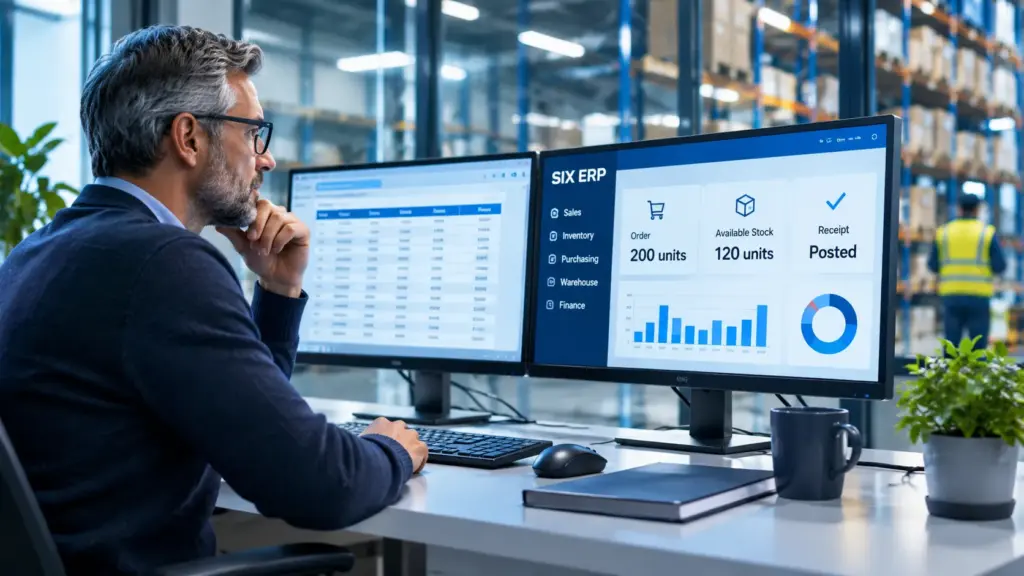
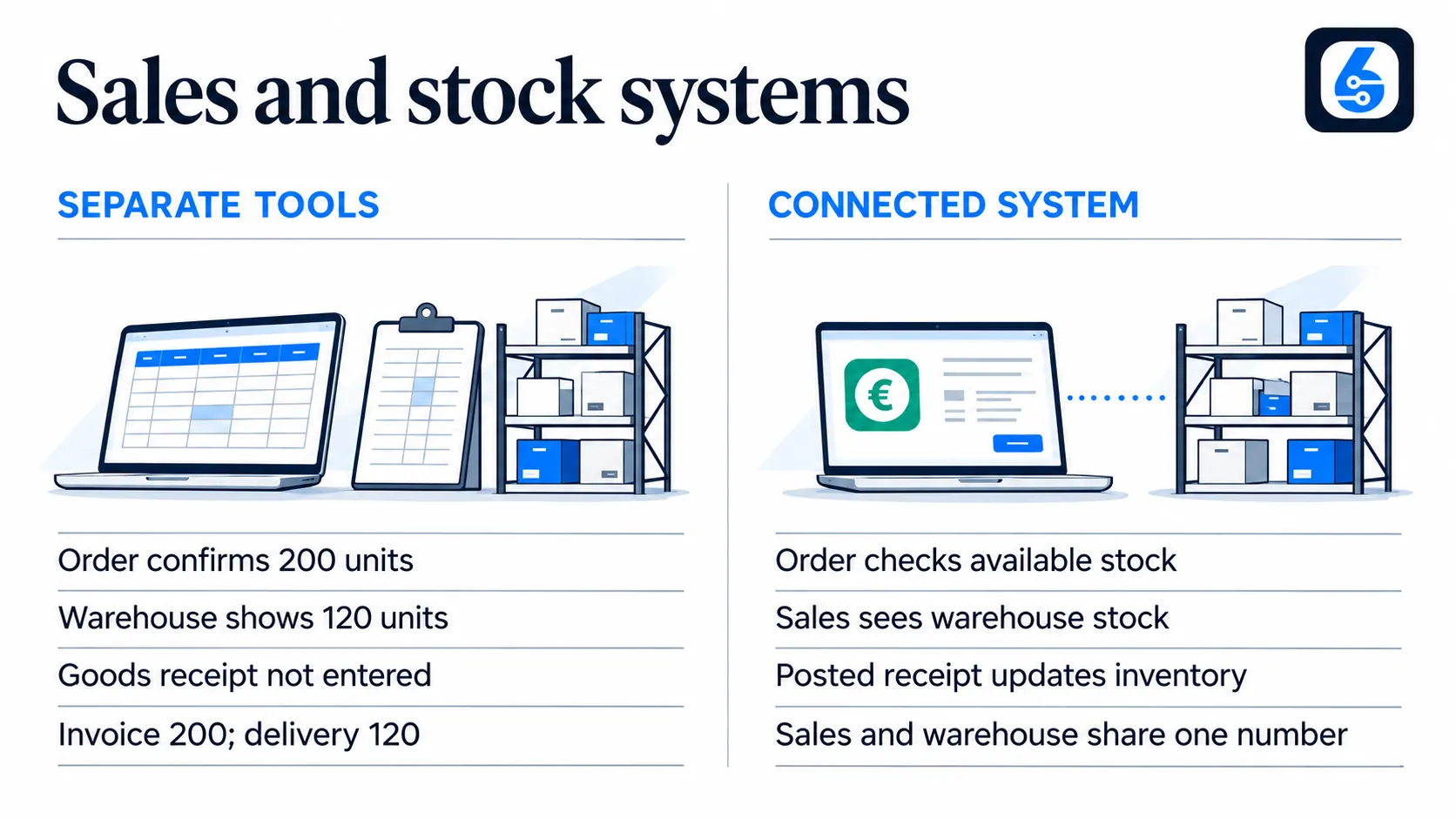
A sales rep confirms 200 units to a customer from a price list in a spreadsheet. The warehouse system shows 120 units, because a delivery was received but not entered. The invoice goes out for 200, the customer receives 120, and accounting issues a credit note. One missing entry has produced a late delivery, a correction document and a hurt relationship.
In a connected system, the sales order checks available stock when it is created. The goods receipt updates inventory the moment it is posted. Sales sees the same number as the warehouse.
A manufacturer that costs products once a quarter
A small producer buys raw materials through purchasing, tracks them in a stock file, and records production in notes. Finance books the purchases but cannot tell which finished product consumed which materials. The owner learns a product line lost money only after the quarter closes.
With bills of materials and work orders in the same system as finance, material use and labor go to the order as they happen. Planned and actual cost can be compared while production is running. This is what ManufacturingFlow and StockFlow are for.
A service company with field technicians
Technicians write down hours and parts on paper. The office types them into a spreadsheet, then into the invoicing tool at month end. Parts are billed late or not at all, and customers wait for invoices.
With ServiceFlow, job data can be captured in the mobile appA mobile app is a software application designed to run on a smartphone or tablet. Connected to an ERP system, it helps employees access business information and complete tasks while away from their desks. and flow to billing. ProjectFlow does the same for time and costs on longer projects.
A purchasing team that cannot see supplier performance
Buyers order by email. Accounting receives supplier invoices weeks later and matches them to orders by hand. Nobody knows which suppliers deliver late or charge above the agreed price. A connected PurchaseFlow keeps the order, receipt and supplier bill in one chain, so price and delivery differences show up when they occur.
How FinanceFlow connects to the rest of the business
In SIX ERP, FinanceFlow is one of the six connected flows, not a separate product that needs a bridge. The practical results for a finance team are:
- No duplicate data entry. Sales, purchasing, stock and production data reaches finance from the flow where it was created.
- Real-time financial visibility. Managers see revenue, costs and open balances based on current operational data, not last month’s export.
- One version of the numbers. Sales, the warehouse and finance work from the same records, so meetings are about decisions, not about whose spreadsheet is right.
- Growth without replacing the system. You can begin with finance and one or two other flows and add more later.
Before configuring anything, SIX maps the company’s processes in detail, under what it calls a no-gap approach. The idea is that every step from quote to cash is defined before implementation, so there are no manual gaps left between departments. You can read more on the FinanceFlow page.
Bulgarian compliance: VAT, SAF-T and e-invoicing
A system that is excellent in general but weak on Bulgarian rules is not an option for a Bulgarian company. Compliance should be your first filter, whether you choose accounting software or an ERP.
What to verify for VAT and local reporting
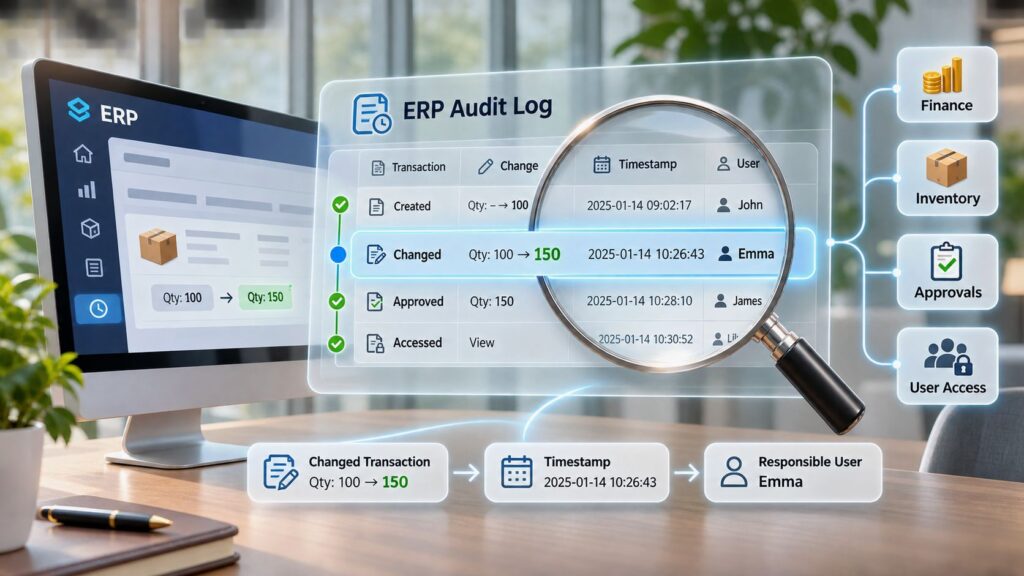
Bulgarian.LLC’s ERP selection guide suggests checking the finance module line by line for Bulgarian VAT codes, purchase and sales journals, fixed assets, bank reconciliation, multi-currency handling, audit trail and local reporting outputs. It also recommends testing real scenarios: credit notes, advance invoices, partial deliveries, reverse-charge cases and month-end close. Run your own documents through them before you sign.
The first question for any vendor is simple: which module produces the VAT journals for the National Revenue Agency (NRA), and who updates it when the law changes?
SAF-T
SAF-T (Standard Audit File for Tax) is a standardized XML file with a company’s accounting data, which tax authorities can request or receive in a fixed format. Bulgaria is moving toward it in stages, so the file has to be produced from clean, complete books. FlowexAI’s guide notes that Bulgarian accounting and ERP platforms may include a built-in SAF-T module, and that buyers should confirm with the vendor whether their specific version supports it.
The quality of the file depends on the quality of the data behind it. If sales, stock and purchasing sit in other tools and reach the ledger through manual entry, errors travel into the export. Our article on SAF-T in Bulgaria and why accounting software is only part of the solution explains this in detail, and our SAF-T archive collects related posts. For your reporting dates and obligations, check the NRA’s official pages, since schedules are set by authorities and can change.
E-invoicing
Electronic invoicing is moving in the same direction across the EU, and Bulgarian businesses should plan for structured invoices that are generated, sent and archived electronically. The practical rule is the one ERPimplementation.eu’s CIO guide gives for the region: audit e-invoicing obligations at project time instead of relying on static monitoring, and judge a partner by whether it can support you in a tax audit. Ask your vendor how invoice formats are updated and who is responsible when requirements change.
Perspective: why finance belongs inside the process
Most companies that come to us do not have an accounting problem. Their accountants are careful. The problem is that the numbers arrive late and incomplete, because the information that creates them is spread across email, spreadsheets and three or four tools.

We believe an ERP should be judged by what happens before the invoice: how an order is confirmed, how stock is reserved, how a purchase is received, how work is costed. If those steps are mapped carefully, finance becomes a result of good processes instead of a cleanup job at month end. That is why we map processes in detail before we configure anything, and why we call it a no-gap approach.

We also do not think a company must buy everything at once. Start with the flows that hurt most, often finance with sales or stock, and add the rest when the business needs it. Compliance with Bulgarian rules is part of the design from the first day, not a later add-on.
Practical migration advice
Moving from accounting software to an ERP is a process change, not just a data copy. Our guide to ERP selection and migration covers the steps in depth. The core of it:
- Map your processes first. Write down how an order moves from quote to payment, and a purchase from request to supplier payment. Mark every place where data is retyped. This map becomes the specification.
- Pick your starting flows. Choose the two or three that cost you the most time or money. Finance plus sales, or finance plus stock, is a common start.
- Clean your data before moving it. Remove duplicate customers and suppliers, close old items, fix units of measure and check opening balances. Bad data moves faster in a new system.
- Decide what history to bring. Opening balances, open invoices, open orders and current stock are essential. Years of transaction detail can often stay in the old system as an archive.
- Map all integrations. List every tool that touches money, stock or statutory output: webshop, POS, payroll, courier, bank feed. Bulgarian.LLC’s guide suggests asking which integrations are native, who owns a connector when it breaks after an update, and what becomes master data in the ERP.
- Test with real documents. Run credit notes, advance invoices, partial deliveries and a full month-end close in a test environment.
- Plan the cutover. Pick a period boundary, usually a month or quarter end, freeze entries in the old system and reconcile opening balances in the new one.
- Train and name an owner. Each department needs a person who knows the new process and can answer colleagues.
- Plan for support after go-live. Updates, legal changes and new requirements continue after launch.
SIX ERP offers consulting and pre-integration support for requirements, data and roadmap, integration, configuration and customization, and support and continuous updates after go-live.
How to decide
Ask these four questions:
- Do we make, store or move physical goods, or send technicians to customers?
- Do two or more departments enter the same data?
- Can management see margin and cash position without waiting for month end?
- Will we add products, locations or staff in the next two to three years?
If the answer to most is yes, an ERP gives you more for the cost. If you are a small service business with no stock and a handful of invoices, accounting software can stay your tool until that changes. Our article on ERP in Bulgaria looks at why connected processes are becoming a competitive factor for local companies.
Start with the flows you need
SIX ERP lets you begin with a plan that fits your size and grow from there. SIX Start costs €999 per year, SIX Growth €2,499 per year and SIX Business €4,999 per year, and SIX Enterprise is available for larger needs. If you want to see how your own processes would map, start with consulting and pre-integration support, or review the licensing options.